Shopify Returns Portal: What to Include in 2026
A practical guide to Shopify returns portal features, setup choices, native returns limits, and the metrics that show whether returns are getting easier.
If you are searching for a Shopify returns portal, you are probably trying to fix two problems at once: customers need an easier way to start returns, and your team needs fewer repetitive return emails. The portal is not just a form. Done well, it becomes the front door for eligibility checks, return reasons, exchange offers, labels, refunds, and status updates.
That matters because returns are where customer trust gets tested. A buyer who already has a product problem should not have to hunt through your footer, copy an order number into an email, and wait two days just to learn whether the return is allowed.
This guide breaks down what a Shopify returns portal should include, when Shopify's native self-serve returns are enough, and when a dedicated returns app makes more sense.
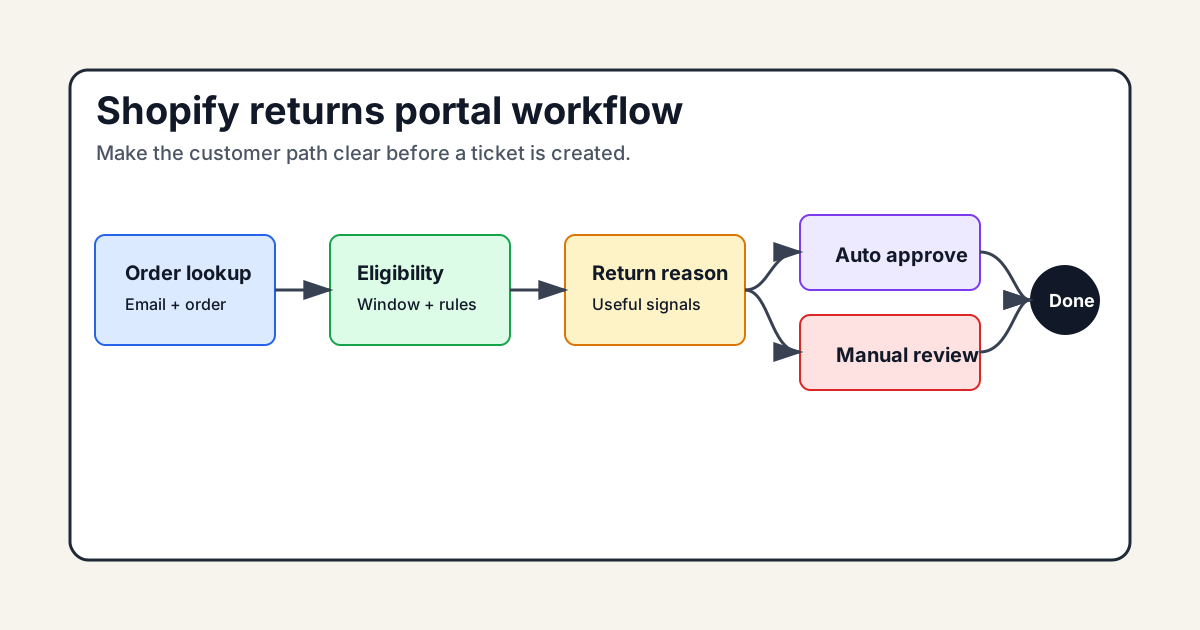
Visual guide: returns portal workflow
What a Shopify returns portal actually does
A Shopify returns portal gives customers a structured place to request a return without starting with a support ticket. At minimum, it should confirm the order, show eligible items, collect a reason, and give the customer a clear next step.
The best portals go further. They apply your return policy automatically, route edge cases to your team, offer exchanges or store credit when appropriate, and keep the customer updated after the request is submitted.
Think of it as a decision layer, not a contact form.
A strong portal should answer these questions before your team gets involved:
- Is this order inside the return window?
- Which items can be returned?
- Is the item excluded by category, discount, condition, or fulfillment status?
- Should this request be approved instantly or reviewed first?
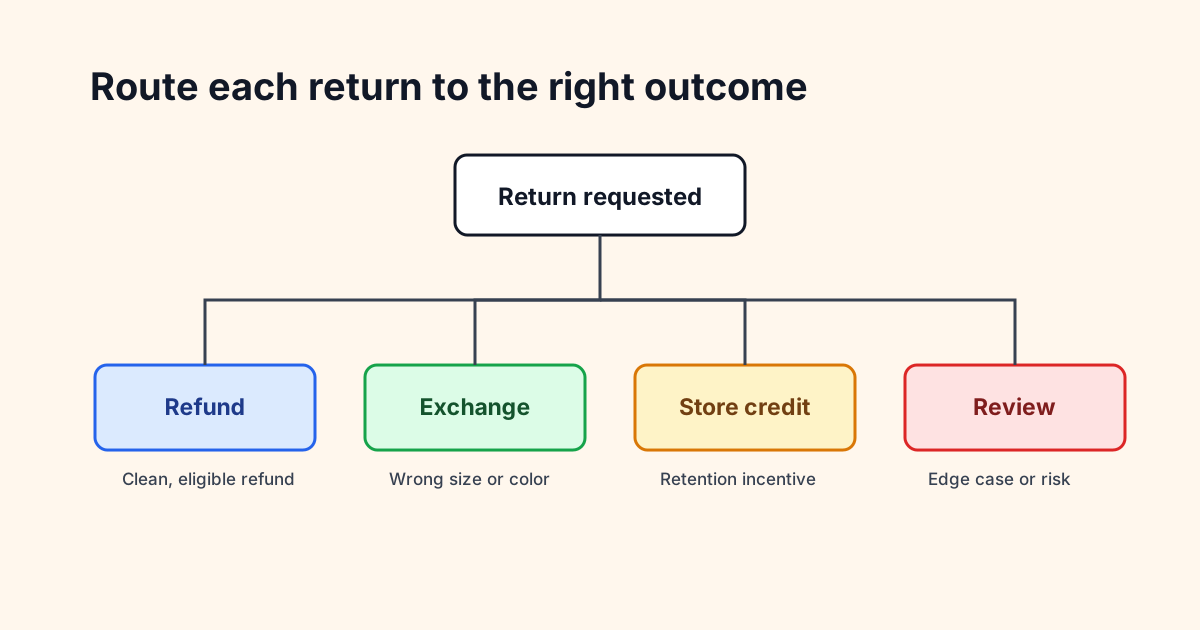
- Should the customer receive a label, shipping instructions, store credit, exchange options, or a manual reply?
Shopify's own help docs describe self-serve returns as working with return rules, return windows, return reasons, product condition fields, and customer accounts. That is a good baseline. The gap appears when merchants need more branded control, deeper analytics, exchange incentives, or a support workflow that connects to the rest of the post-purchase experience.
If your return process still starts with "email us and include your order number," you do not really have a returns process. You have an inbox queue.
Shopify returns portal features worth caring about
The keyword here is practical. A Shopify returns portal does not need every feature under the sun. It needs the features that reduce confusion for customers and reduce judgment calls for your team.
Clear eligibility rules
Customers should know quickly whether the return is allowed. This includes return window, final-sale items, subscriptions, damaged goods, bundles, partial shipments, and international orders.
If your policy has exceptions, the portal should make those exceptions visible at the moment they matter. A customer who cannot return an item should see why, not just hit a dead end.
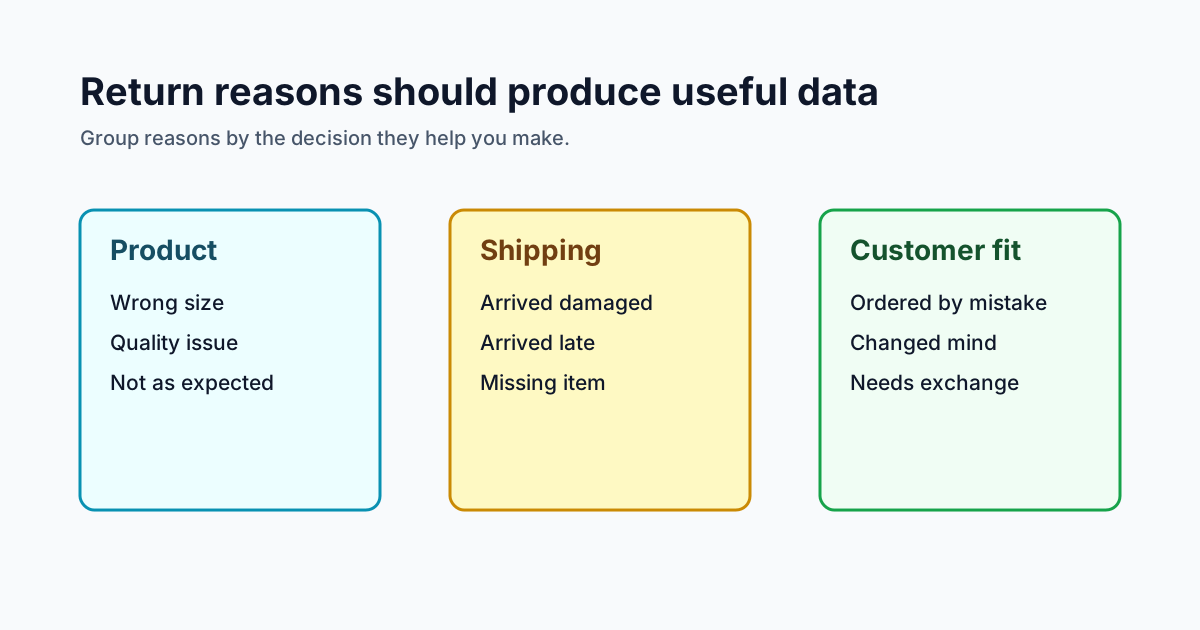
Return reasons that produce useful data
Return reasons are not just labels. They are product feedback.
Use a short list that your team can act on:
- Wrong size
- Quality issue
- Arrived damaged
- Not as expected
- Ordered by mistake
- Shipping took too long
Too many reasons create noisy data. Too few reasons hide product and fulfillment problems. The goal is to make the portal easy for the customer while still collecting enough detail to improve merchandising, sizing, descriptions, packaging, and carrier decisions.
Instant approval for low-risk returns
Not every return needs a human review. If an order is inside the return window, the item is eligible, the customer has no suspicious history, and the reason is straightforward, instant approval can remove a full support step.
That said, instant approval should not be all or nothing. Higher-risk requests should still route to review. Examples include expensive items, repeated returners, damaged-item claims, excluded products, and requests outside the policy window.
This is where tools like Trexa can fit naturally: instant or assisted return modes let merchants automate the simple cases while keeping judgment calls in the dashboard.
Exchange and store credit options
A refund is not always the best outcome for the customer or the merchant. Sometimes the buyer ordered the wrong size, picked the wrong color, or needs a replacement. A good portal makes those options easy before the customer defaults to a refund.
AfterShip's Shopify App Store listing highlights branded return portals, automation rules, analytics, exchanges, and store credit as core parts of its returns product. Return Prime positions around automating returns and exchanges while helping merchants retain revenue. Those are useful signals: the competitive market has moved past "submit a return request" and toward "recover the order when possible."
The useful version is not pushy. Offer the exchange. Offer store credit if it makes sense. Do not make a customer jump through hoops when they plainly need a refund.
Shopify native returns vs a dedicated returns portal app
Shopify's native self-serve returns are a reasonable starting point, especially for smaller stores with simple policies and low return volume. If you use new customer accounts and your return rules are straightforward, native returns can cover the basics.
A dedicated returns portal app starts to make sense when the process gets more operational:
- You want a branded portal that matches your post-purchase experience
- You need instant approval for some returns and manual review for others
- You want store credit bonuses or exchange prompts
- You need analytics by product, reason, carrier, or customer segment
- You want returns tied into customer support conversations
- You need a workflow that handles tracking, returns, cancellations, and customer questions in one place
There is no prize for using an app when native Shopify handles the job. But there is also no prize for saving app spend while your team manually approves every simple request.
The decision should come down to volume, policy complexity, and customer friction. If returns happen rarely, native tools may be fine. If returns are a weekly support driver, a better portal usually pays for itself in fewer tickets and faster resolutions.
How to set up a Shopify returns portal without making it messy
Start with policy clarity before software. Most broken returns workflows are not broken because the tool is bad. They are broken because the policy is vague, the edge cases are undocumented, and the customer receives different answers depending on who replies.
Use this setup order:
- Define return eligibility by product type, order age, condition, discount, and fulfillment status.
- Decide which requests can be approved instantly.
- Decide which requests need manual review.
- Write customer-facing messages for approvals, rejections, labels, refunds, exchanges, and store credit.
- Choose return reason codes that map to real business decisions.
- Test the portal with common orders, edge cases, and ineligible items.
- Track the results weekly for at least a month.
Your portal should also be easy to find. Link it from the order tracking page, shipping emails, return policy page, help center, and customer account area. If a customer has to search your site for the return process, they are more likely to open a ticket.
For related cleanup, it helps to audit the broader post-purchase stack too. Returns touch tracking, notifications, support replies, refunds, and retention. If those tools do not talk to each other, the customer feels it. Our guide to a Shopify app stack audit is a useful next step, along with the Shopify returns management guide and the self-serve returns setup guide.
Shopify returns portal metrics to track
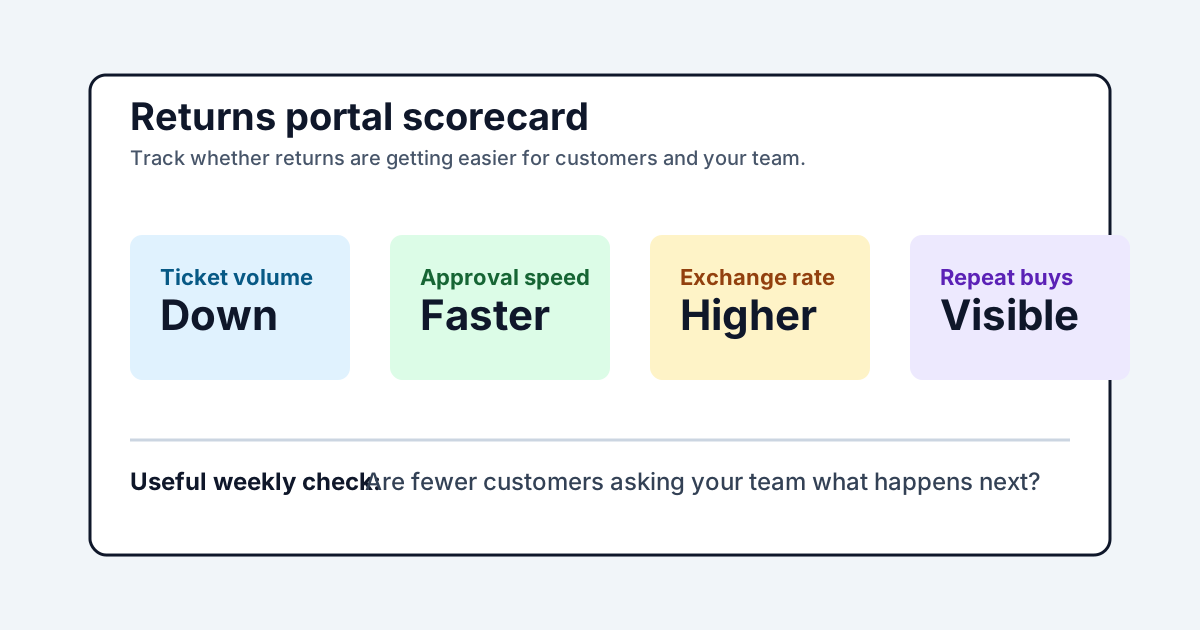
A portal is only useful if it improves the workflow. Track a few metrics before and after launch so you can tell whether it is helping.
Good starting metrics:
- Return request volume
- Return approval rate
- Instant approval rate
- Manual review rate
- Refund vs exchange vs store credit split
- Average time to first return response
- Return-related support tickets
- Top return reasons by product
- Repeat purchase rate after returns
The last one is easy to ignore and probably the most important. Returns are not only a cost center. A clean return experience can keep a customer who might otherwise be done with the brand.
Build the portal around the customer's next step
A Shopify returns portal should make the next step obvious. Can the item be returned? Is the request approved? Does the customer need a label? Are they waiting for review? Will they get a refund, exchange, or store credit?
If the portal answers those questions, it will cut support volume and make customers feel less stranded. If it only collects a message and sends it to the inbox, it is just a prettier contact form.
Start simple: clear rules, useful reason codes, instant approval for clean cases, review for edge cases, and visible status updates. Then improve based on the data.
Tools like Trexa can help when you want returns to sit beside branded tracking, cancellations, and customer support instead of living as another disconnected app. The point is not to automate every return. It is to make the obvious ones painless and give your team better context for the ones that still need a human.
Ready to reduce your support tickets?
Trexa gives your Shopify store AI-powered order tracking, automated support, and self-serve returns. Start free with 10 orders/month.
Start FreeExplore related Trexa pages