WISMO Automation for Shopify: 5 Rules That Work
A practical WISMO automation flow for Shopify stores that want fewer tracking tickets without risky bot replies.
WISMO automation for Shopify sounds simple until the first edge case hits. A customer asks where their order is, the tracking says "label created," the carrier has not scanned it, and your support team still has to explain what that means without overpromising.
That is the real work. Good automation does not just paste a tracking link into chat. It finds the right order, understands the shipment state, explains it plainly, and knows when to hand the conversation to a human. Here is how to build a WISMO flow that actually reduces support work without making customers feel brushed off.

Why WISMO automation for Shopify needs rules before tools
WISMO means "where is my order," and Shopify describes it as one of the most common ecommerce support questions. Customers might ask through live chat, email, social DMs, SMS, or phone. The words are different, but the anxiety is the same: they paid, they waited, and now they want certainty.
The mistake is treating every WISMO question like a routine status lookup. Some are. "Has my order shipped?" can often be handled with order data and a tracking link. But other tickets are messier:
- The order was canceled or refunded.
- The shipment has no carrier scan after several days.
- The package says delivered, but the customer cannot find it.
- The order has multiple fulfillments.
- The customer is asking about a return, refund, or exchange, not the original shipment.
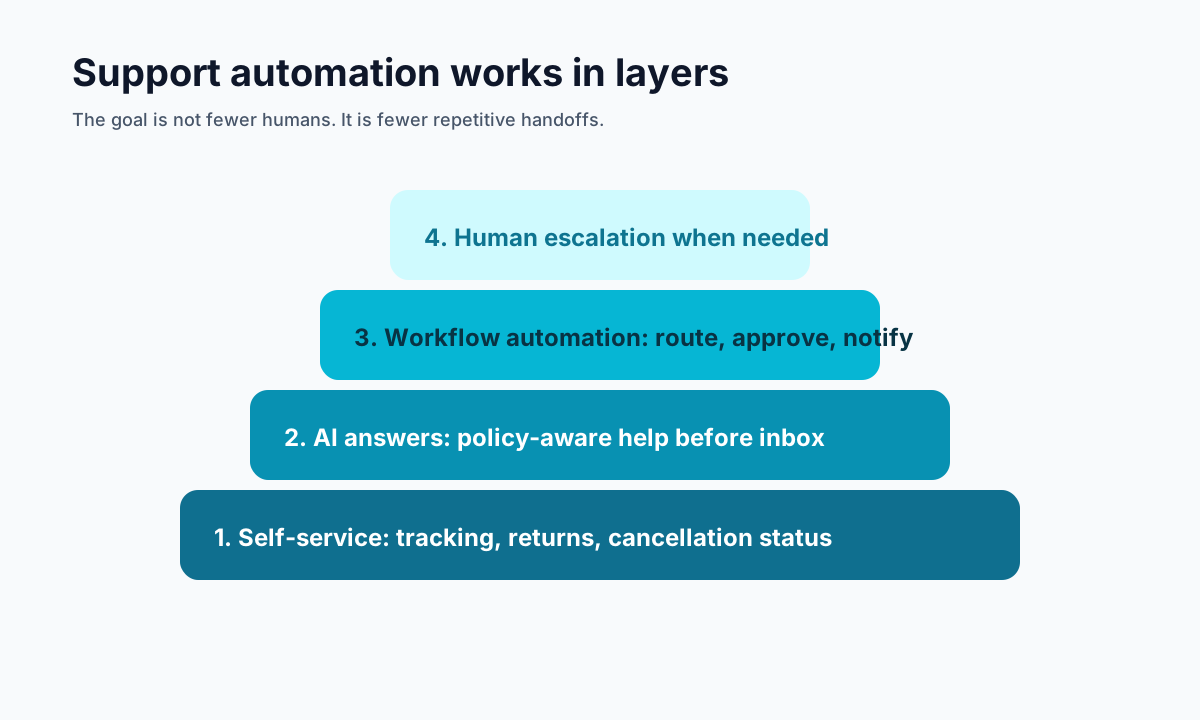
Competitor content on this topic tends to split into two camps. Rep AI focuses on guardrails and exception routing. Ringly frames the problem as a four-layer stack: tracking page, proactive notifications, chatbot, and phone support. Shopify's own WISMO article keeps it broader, with clear delivery expectations, live tracking, support channels, and automation.
The missing middle is the operating system: what your automation should check before it replies.
The WISMO automation for Shopify flow that works
Start with a clear decision path. If the system has to guess, it should not automate the answer.
1. Confirm the customer and order
Use the customer email first, then order number if needed. Email is usually less error-prone than a typed order ID. If multiple recent orders match, show the most recent order only when the message clearly points to it. Otherwise, ask the customer to choose.
If no order is found, do not fake confidence. Send a short reply asking for the email used at checkout or the order number, then escalate if the customer is frustrated or cannot provide it.
2. Check whether the order is eligible for automation
Before showing tracking, screen for states that need a different flow:
- Canceled orders
- Fully refunded orders
- Fraud or payment review tags
- Returned-to-sender shipments
- Orders with missing fulfillment data
- Delivered-not-received claims after the store's claim window
These are not normal WISMO tickets. They need a policy answer, not a tracking answer.
3. Translate carrier status into normal language
Carrier wording is usually written for logistics teams, not customers. "Shipment information received" means the label exists, but the carrier may not have the package yet. "Exception" might mean weather, address trouble, customs, or a missed delivery attempt.
Your WISMO automation should map each status to plain language:
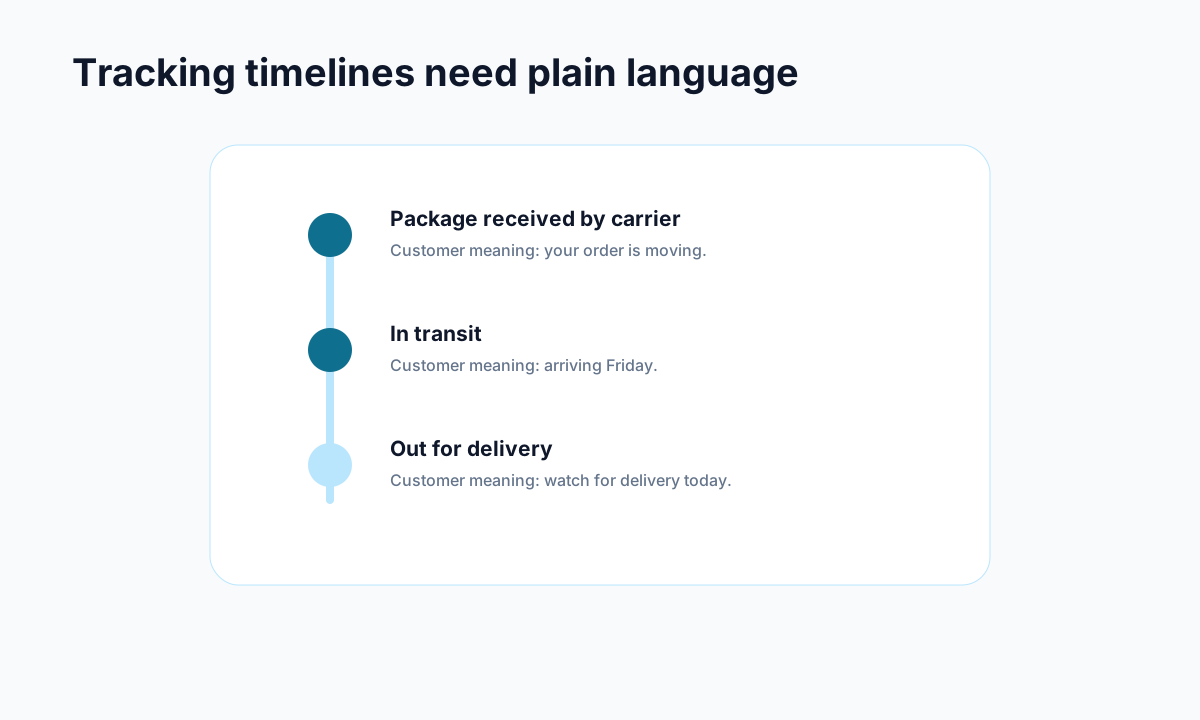
- Label created: "Your order is packed or waiting for carrier pickup. Tracking usually updates once the carrier scans it."
- In transit: "Your order is moving through the carrier network. The latest scan is from [location] on [date]."
- Out for delivery: "Your order is scheduled for delivery today."
- Delayed: "The carrier is running behind. Here is the latest scan and when we will check again."
- Delivered: "The carrier marked this delivered. Please check nearby safe places first, then we can help with next steps."
This is where most automation becomes useful. Customers do not want a raw link. They want to know what is happening and whether they need to do anything.
Use proactive WISMO automation for Shopify before customers ask
The best WISMO ticket is the one that never gets created. A branded tracking page and clear shipping emails can cut down a large share of repetitive questions because they answer the customer's concern before it becomes a support request.
At minimum, send updates for these moments:
- Order confirmed
- Shipment created
- Carrier picked up the package
- Out for delivery
- Delivered
- Delayed or exception
Do not send generic "your order has shipped" emails with a bare tracking number and call it done. The email should set an expectation: what changed, what the customer can do next, and where to check status.
This pairs naturally with a branded order tracking page. A carrier page is fine for logistics, but it is not a support experience. Your own page can show order details, delivery status, FAQs, return eligibility, cancellation options, and a support handoff in one place.
Shopify's help docs also support self-serve returns and cancellations from customer accounts and order status surfaces. That matters because WISMO often blends into "can I cancel this?" or "where is my refund?" A good post-purchase flow keeps those paths close together instead of forcing every question into email.
What to automate and what to send to support
WISMO automation for Shopify should handle the boring middle and hand off the risky edges. That is how you protect both customer experience and margin.
Automate these:
- Normal order status checks
- In-transit tracking updates
- Delivery window questions
- Tracking link requests
- "Has this shipped?" questions
- Basic split-shipment explanations
Escalate these:
- Delivered but not received
- Fraud or payment review
- Customer says the address is wrong after fulfillment
- Carrier exception with no clear next step
- Refund, replacement, or chargeback language
- Angry repeat contact on the same order
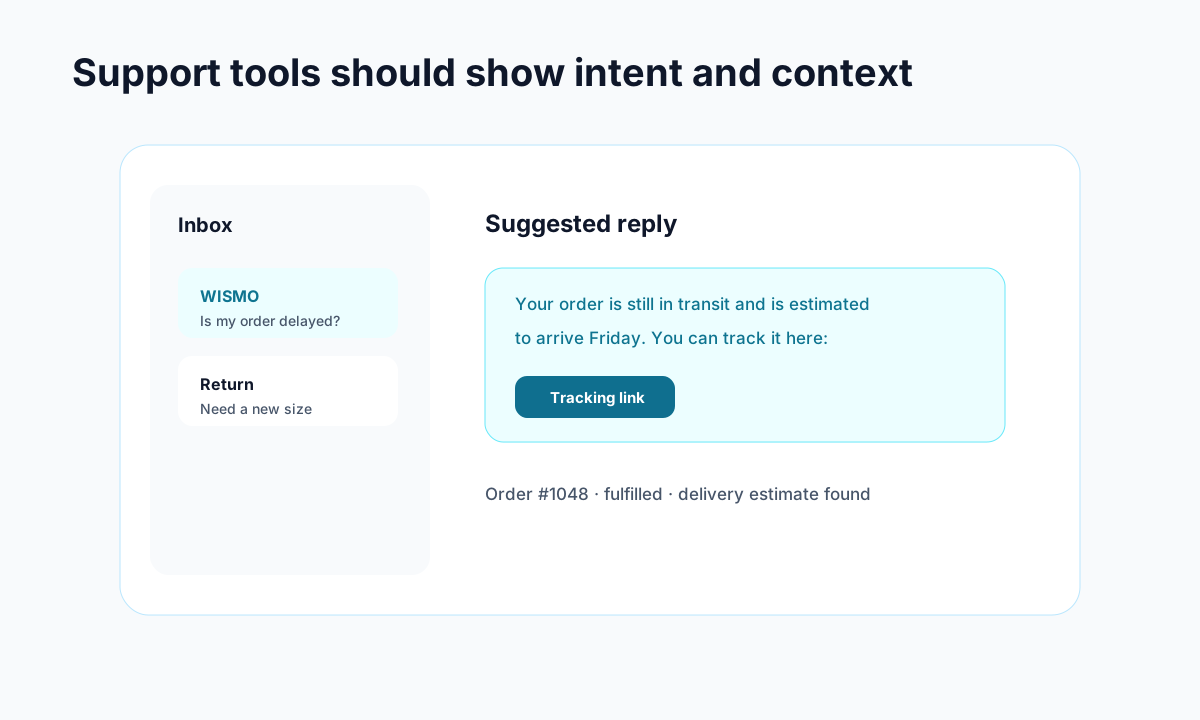
The handoff matters as much as the answer. If a human agent opens the conversation, they should already see the order, tracking status, customer message, last automation reply, and recommended next step. Otherwise your automation has only moved the work around.
This is also where tools like Trexa can help. Trexa combines branded tracking, policy-aware customer assistance, returns, cancellations, and support handoff in one post-purchase flow, so WISMO does not live in a separate box from the rest of support.
How to measure WISMO automation for Shopify
Do not judge automation only by the number of tickets it deflects. A high deflection rate can hide a bad experience if customers keep coming back with the same question.
Track these metrics weekly:
- WISMO ticket rate: WISMO tickets divided by orders shipped.
- Self-serve tracking visits: how often customers check status without contacting support.
- Containment rate: percent of WISMO conversations resolved without a human.
- Recontact rate: percent of customers who ask again about the same order within seven days.
- Delivered-not-received escalation rate: how often delivered packages need human review.
- Refund or reship leakage: refunds or replacements issued before the shipment state was clear.
If you already track Shopify support KPIs, add WISMO rate and recontact rate beside first response time and resolution time. If you track Shopify customer experience metrics, add tracking page visits and post-delivery support contacts.
The goal is not to make the chart look good. The goal is to find where customers still feel uncertain.
A simple rollout plan
You do not need to rebuild support in one week. Start with the highest-volume, lowest-risk path.
Week 1: Tag WISMO tickets in your helpdesk and calculate your baseline rate per 100 shipped orders.
Week 2: Improve your shipping confirmation email and tracking page copy. Make sure customers can find order status without contacting support.
Week 3: Add automated replies for simple "has it shipped" and "where is my order" questions. Keep the scope narrow.
Week 4: Add exception routing for delayed, delivered-not-received, canceled, refunded, and split-shipment orders.
Week 5: Review recontacts. Rewrite any automation answer that causes customers to ask again.
That last step is where the real gains happen. WISMO automation for Shopify is not a one-time setup. It is a feedback loop between shipping data, customer language, support policies, and the moments where people still get nervous.
Start with the question your team answers every day. Give customers a clear tracking page, plain-language updates, and a quick handoff when the situation needs judgment. Once that works, expand the flow into returns, cancellations, and policy questions so post-purchase support feels connected instead of patched together.
Ready to reduce your support tickets?
Trexa gives your Shopify store AI-powered order tracking, automated support, and self-serve returns. Start free with 10 orders/month.
Start FreeExplore related Trexa pages