Shopify Shipping Notification Emails: Best Practices for 2026
A practical guide to Shopify shipping notification emails, including what to include, when to send them, and how to reduce support tickets.
Shopify Shipping Notification Emails: Best Practices for 2026
Shopify shipping notification emails do a lot more work than most stores realize. They are not just routine updates. They shape customer trust, cut down on anxious support messages, and send shoppers to the exact place where they can answer their own questions.
The problem is that many stores treat these emails like an afterthought. They send the default template, skip key details, and make customers hunt for tracking info. That is how you end up with more WISMO tickets, more confusion, and more pressure on your support team. In this guide, you will learn what Shopify shipping notification emails should include, when to send them, how to customize them, and how to use them to reduce support load without creating more operational mess.
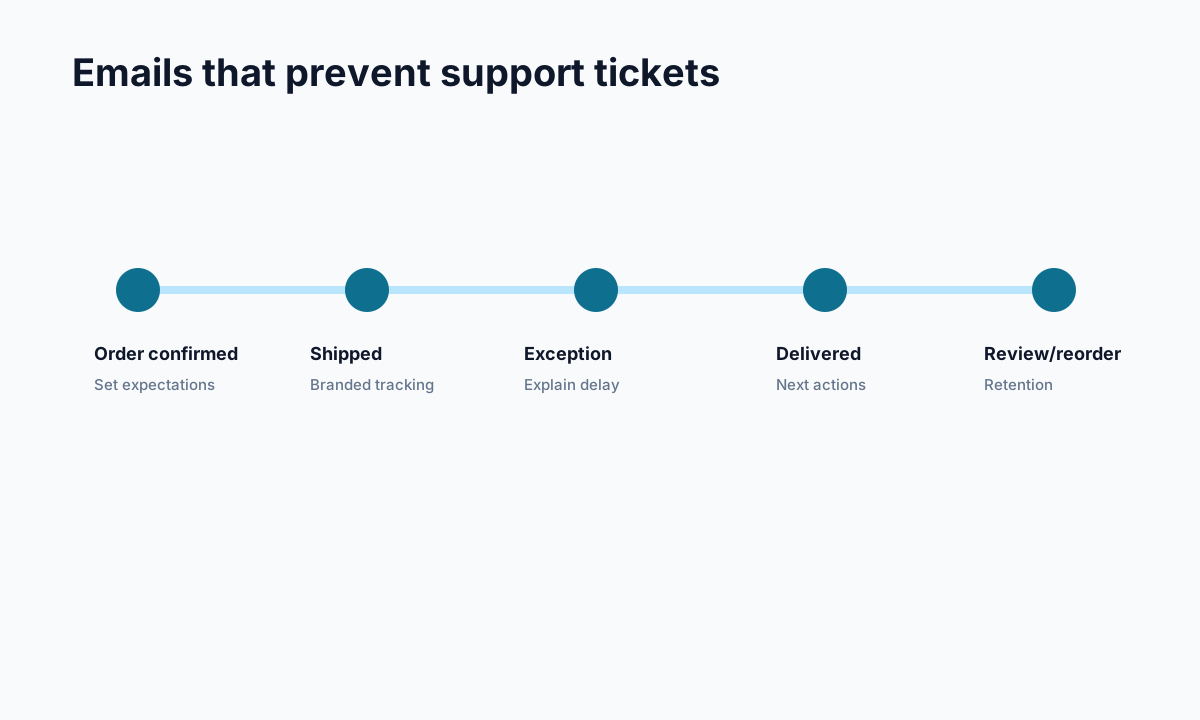
<!-- trexa-visual-elements:start -->Visual guide: shipping email sequence
Shipping emails should answer the customer's next question before they open a support thread.
| Customer question | Include | |
|---|---|---|
| Shipping confirmation | Where do I track this? | Branded tracking link. |
| Exception update | Is my order stuck? | Plain-language explanation. |
| Delivered | What can I do now? | Support, return, review, or reorder path. |
Why Shopify shipping notification emails matter more than you think
<!-- trexa-section-visual:email -->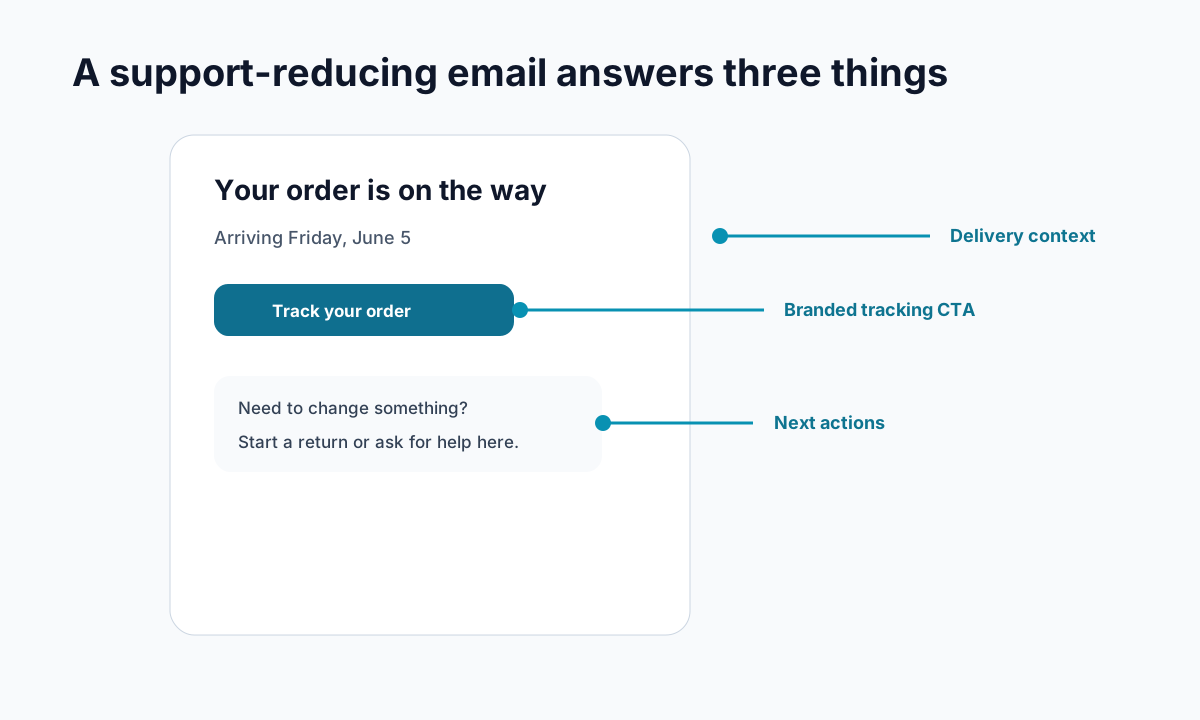
Example: a post-purchase email that reduces support tickets by answering the obvious next questions.
A shipping email lands at a high-stakes moment. The customer has already paid. Now they want reassurance that the order is moving.
If your email is vague, missing tracking details, or hard to skim, the customer starts asking questions. Where is my order? Has it actually shipped? Which carrier has it? When will it arrive?
That is why strong post-purchase communication matters so much. Good shipping notifications can:
- lower WISMO-style support requests
- reduce buyer anxiety after checkout
- drive more visits to your tracking page instead of your inbox
- set realistic delivery expectations early
- make your brand feel more organized and trustworthy
This is especially important if you already care about how to reduce Shopify support tickets or want your branded order tracking page to do more of the heavy lifting.
Competitor content on this topic is surprisingly thin. Most articles stop at "turn the notification on" or explain how an app syncs tracking events back into Shopify. That leaves a big gap for merchants who want practical advice on what to put in the email and how to make it actually useful.
What Shopify shipping notification emails should include
<!-- trexa-section-visual:tracking -->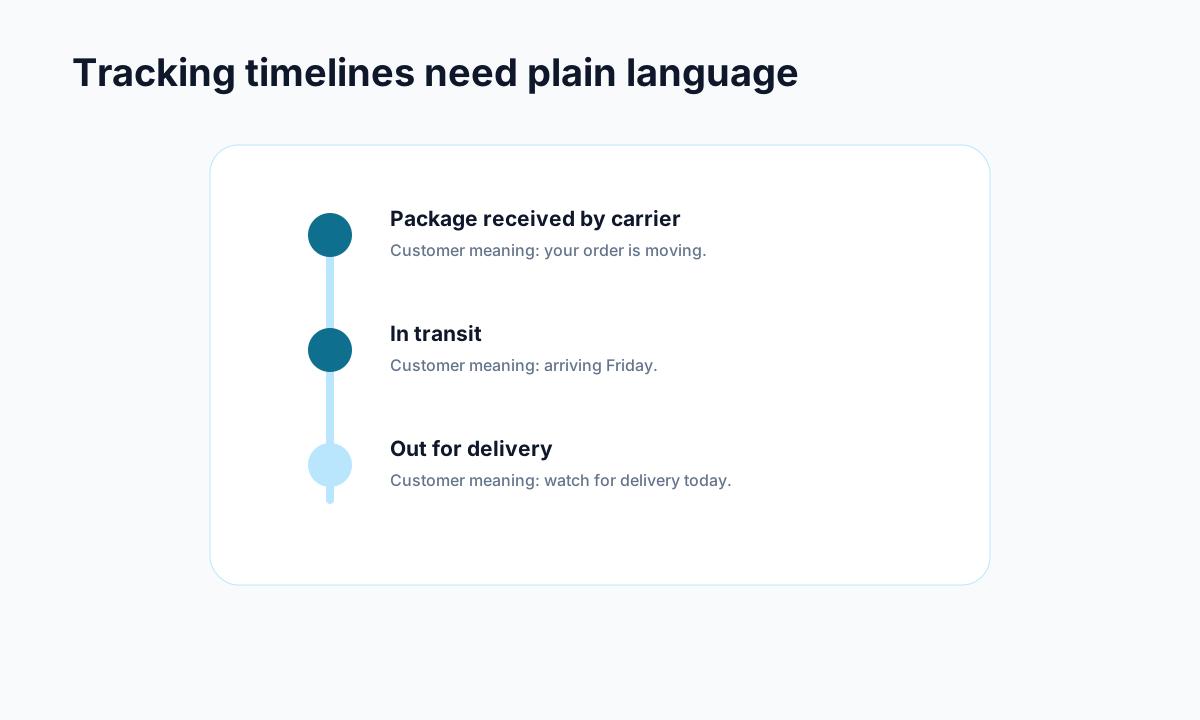
Example: carrier events become useful when they are translated into plain customer language.
At a minimum, Shopify shipping notification emails should answer the customer's next three questions before they ask them.
1. Confirmation that the order has shipped
Say it plainly. Customers should know whether the order is packed, fulfilled, or handed off to a carrier. If you use internal language like "fulfilled," make sure the rest of the message still reads like normal human English.
2. A visible tracking link
Do not bury the tracking link in a wall of text. Make it obvious. If possible, send customers to your own tracking page rather than a raw carrier page so they can also see FAQs, support options, and branded updates in one place.
3. Carrier name
Tell the customer whether the package is moving with USPS, UPS, DHL, Australia Post, or another carrier. This small detail reduces uncertainty fast.
4. Expected timing
Even if you cannot promise an exact delivery date, give a realistic window. "Usually arrives in 3 to 5 business days" is far more calming than silence.
5. What to do if something looks wrong
If tracking has not updated yet, say that scans can take time. If an address issue or delay appears, point customers to the right next step.
A strong shipping email is short, but it is never vague.
How to customize Shopify shipping notification emails without overcomplicating things
Inside Shopify, you can manage customer notifications under Settings > Notifications > Customer notifications. That is the baseline. From there, the goal is not to turn the email into a mini newsletter. The goal is clarity.
Here is the simplest way to improve the template:
- Use a clear subject line. Something direct like "Your order has shipped" works better than clever copy.
- Open with the status update. Do not make customers read three sentences before they know what happened.
- Add a strong call to action. The main button should lead to tracking.
- Keep branding light but consistent. Logo, brand color, and tone matter. A giant promotional block does not.
- Include support guidance. If customers have questions, tell them where to go before they reply to the email in frustration.
If you use Klaviyo or another platform for transactional messaging, make sure you are not duplicating notifications. Duplicate shipping emails create the exact opposite of trust. They make customers wonder whether multiple packages are coming or whether something glitched.
Shopify Plus merchants may have more control over notification settings, but the core best practices stay the same for everyone.
When to send Shopify shipping notification emails and follow-up updates
The first shipping notification should go out when the order is actually fulfilled and tracking data is attached. Sending too early creates confusion. Sending too late creates anxiety.
After that, you should think in stages:
Shipping confirmation
This is the first and most important message. It confirms movement and gives the customer a tracking path.
Out for delivery update
If your setup supports it, this is a great moment to reduce "is it arriving today?" messages.
Delivered confirmation
This closes the loop. It can also cut down on avoidable claims because the customer sees a clear delivery notice.
The key is consistency. If your shipping notification timing changes from order to order, customers stop trusting the system. That is one reason many merchants pair notifications with a dedicated tracking experience and clear what is WISMO education across their support content.
Common mistakes that make Shopify shipping notification emails less effective
A lot of stores are technically sending notifications but still creating unnecessary support work. Usually it comes down to a few avoidable mistakes.
Using the default template without reviewing it
Default does not mean optimized. Read your own emails like a customer would. If they feel generic or incomplete, fix them.
Sending customers to a carrier page only
Carrier pages work, but they are not built to support your brand or answer store-specific questions. A branded tracking page gives you much more control.
Hiding useful information
Tracking number, carrier, shipment status, and delivery timing should be easy to spot. If the customer has to search for basics, the email failed.
Mixing promotional content into transactional messages
A small cross-sell is tempting, but it can distract from the real purpose of the email. Transactional emails work best when they stay operational and clear.
Forgetting mobile readability
Most customers will read these emails on a phone. Short paragraphs, obvious buttons, and clean spacing matter more than fancy design.
A simple framework for better Shopify shipping notification emails
If you want a practical template, keep it this simple:
- headline: your order has shipped
- first sentence: confirm the package is on the way
- primary button: track your order
- supporting details: carrier, tracking number, expected timing
- final note: what to do if tracking has not updated yet
That is enough for most stores.
If you want to go a step further, send customers to a branded tracking page that includes delivery updates, policy answers, and support options in one place. Tools like Trexa help stores do this without forcing customers to open a ticket for every post-purchase question.
For reference, Shopify's own notification settings and order status documentation are worth reviewing, and so are broader email best practices from platforms like Klaviyo. But the real win is not the tool. It is whether the customer gets a fast, trustworthy answer at the exact moment they need it.
Final takeaways on Shopify shipping notification emails
Shopify shipping notification emails should reduce uncertainty, not create more of it. If your current messages are generic, late, or missing obvious details, that is a fixable problem.
Start with the basics. Confirm the shipment clearly. Add a strong tracking link. Set delivery expectations. Keep the email clean and mobile-friendly. Then connect that email to a better post-purchase experience so customers can self-serve instead of flooding support.
Do that well, and your shipping emails stop being routine admin. They become one of the easiest ways to improve trust after checkout and quietly reduce support volume over time.
Ready to reduce your support tickets?
Trexa gives your Shopify store AI-powered order tracking, automated support, and self-serve returns. Start free with 10 orders/month.
Start FreeExplore related Trexa pages