How to Reduce Shopify Support Tickets by 50% with AI
Learn proven strategies to cut your Shopify support ticket volume in half using AI-powered automation, branded tracking pages, and self-service tools.
If you're running a Shopify store, you already know the drill. Your inbox fills up every morning with the same questions: Where is my order? When will it arrive? Can I return this?
These repetitive inquiries, known in the industry as WISMO (Where Is My Order) tickets, account for up to 50% of all customer support volume for ecommerce businesses. They eat up your team's time, slow down response times for customers with real problems, and cost you money with every interaction.
The good news? Most of these tickets don't need a human to answer them. Here's how to cut your support volume in half using AI and automation.
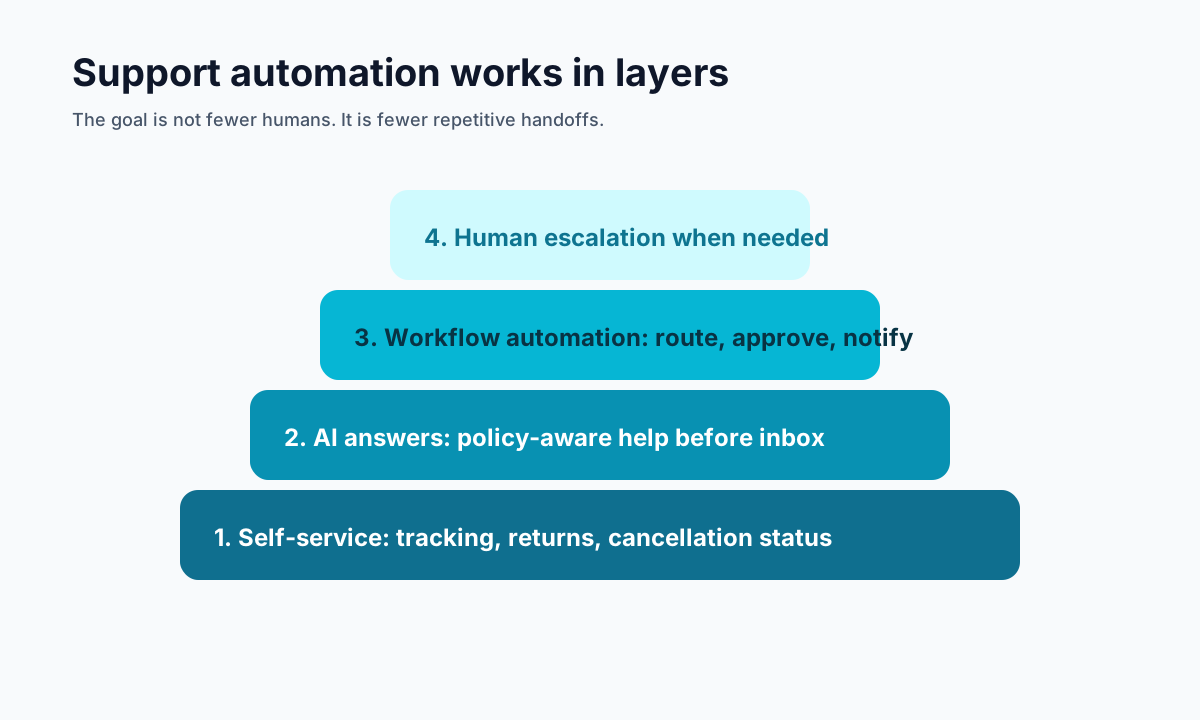
<!-- trexa-visual-elements:start -->Visual guide: ticket reduction stack
The strongest ticket reduction comes from stacking self-service, AI help, workflow automation, and human escalation in the right order.
| Ticket type | Deflection method | When to escalate |
|---|---|---|
| Where is my order? | Branded tracking plus AI status answer. | Lost, damaged, or disputed delivery. |
| Can I return this? | Return rules and self-serve request path. | Policy exception or high-value item. |
| Can I cancel? | Cancellation window and order-state routing. | Fulfillment already started. |
Understanding the Problem
<!-- trexa-section-visual:metrics -->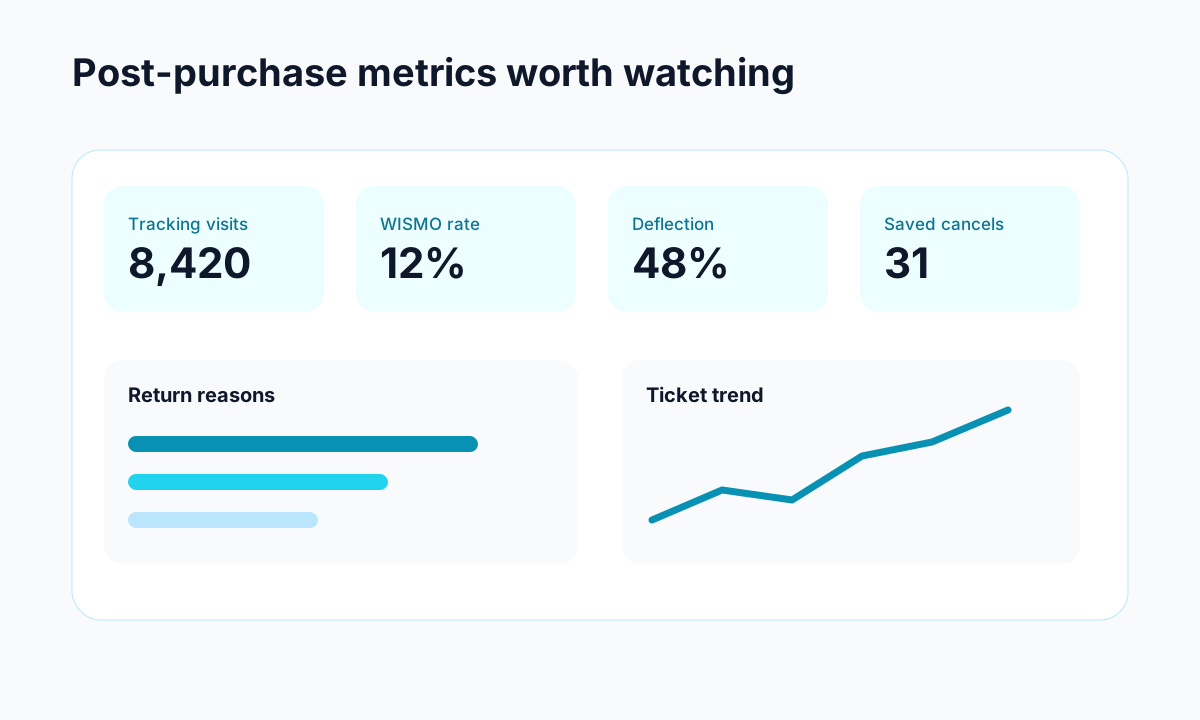
Example: turn abstract support problems into metrics you can track over time.
Before you can fix it, you need to understand what's driving your ticket volume. For most Shopify stores, the breakdown looks something like this:
- 40-50% — Order status and shipping inquiries (WISMO)
- 15-20% — Return and exchange requests
- 10-15% — Product questions (sizing, compatibility, availability)
- 10-15% — Payment and billing issues
- 5-10% — Everything else
That first category is the low-hanging fruit. These are questions with straightforward, data-driven answers that don't require judgment, empathy, or decision-making. They're perfect for automation.
The Five Strategies That Actually Work
1. Self-Service Order Tracking Pages
The single most effective way to reduce WISMO tickets is to give customers a way to answer their own questions.
Instead of directing customers to carrier websites, give them a branded tracking page that lives on your domain. These pages pull real-time data from carriers and present it in a clean, branded interface that customers trust.
When customers can check their order status anytime without emailing you, WISMO tickets drop dramatically. Stores using branded tracking pages typically see a 40-50% reduction in support volume within the first month.
2. AI Chat That Actually Understands Context
Generic chatbots frustrate customers. They loop through decision trees, give irrelevant answers, and ultimately drive people to email you anyway.
Modern AI assistants are different. They can:
- Pull real-time order data and give specific answers ("Your order shipped yesterday via FedEx and should arrive Thursday")
- Understand your store's policies and answer questions accurately
- Handle multi-turn conversations naturally
- Know when to escalate to a human instead of going in circles
The key is context. An AI that knows your shipping policies, return windows, and can access order data will resolve 60-70% of conversations without human intervention.
3. Proactive Communication
Many support tickets happen because of silence. A customer places an order, hears nothing for three days, and sends an anxious email.
Proactive notifications solve this:
- Order confirmation with estimated delivery
- Shipping notification with tracking link to your branded page
- Out-for-delivery alerts
- Delivery confirmation
Each proactive message you send prevents 2-3 reactive tickets.
4. Smart Self-Service Returns
Return requests are the second-largest ticket category. Instead of forcing customers to email you, provide a self-service return flow:
- Customer enters order number and email
- System checks return eligibility automatically
- Customer selects items, reason, and preferred resolution
- If eligible, approval is instant — no waiting for a human
This doesn't mean approving everything automatically. You set the rules (return window, conditions, exclusions), and the system enforces them consistently.
5. FAQ That Actually Gets Read
Most FAQ pages are buried in footers and written in corporate-speak. AI can generate and maintain FAQ content based on your actual policies, written in the same voice customers encounter in chat.
Place FAQ content on your tracking page where customers are already looking for answers. Context-relevant help is 10x more effective than a generic help center.
Measuring Success
Track these metrics to measure your progress:
- Ticket deflection rate — What percentage of customer interactions are resolved without a human?
- First response time — How quickly do customers with real problems get help?
- CSAT scores — Are customers happier with instant AI answers than waiting for humans?
- Cost per ticket — How much are you spending per support interaction?
Getting Started
You don't need to implement everything at once. Start with a branded tracking page — it's the highest-impact, lowest-effort change you can make. Then layer on AI chat, proactive notifications, and self-service returns as you see results.
Tools like Trexa bundle all of these capabilities into a single Shopify app, so you can go from zero to automated in an afternoon rather than spending months stitching together multiple solutions.
Your support team has better things to do than answering the same questions hundreds of times a week. Give them the tools to focus on work that actually needs their expertise.
Ready to reduce your support tickets?
Trexa gives your Shopify store AI-powered order tracking, automated support, and self-serve returns. Start free with 10 orders/month.
Start FreeExplore related Trexa pages