Shopify Return Policy Template: Copy, Paste, and Customize for Your Store
A ready-to-use return policy template for Shopify stores, plus the strategy behind each section so you know exactly what to customize.
Shopify Return Policy Template: Copy, Paste, and Customize for Your Store
Your return policy is doing more work than you think. Around 60% of online shoppers check it before they buy anything. Not after the purchase. Before they even add something to the cart.
A confusing or overly strict shopify return policy sends people straight to your competitors. A clear, fair one builds the kind of trust that turns first-time buyers into repeat customers. The problem? Most store owners either copy a generic template that doesn't fit their business, or they write something so full of legal jargon that nobody actually reads it.
This guide gives you a ready-to-use shopify return policy template you can paste into your store today, plus the strategy behind each section so you know what to customize and why.
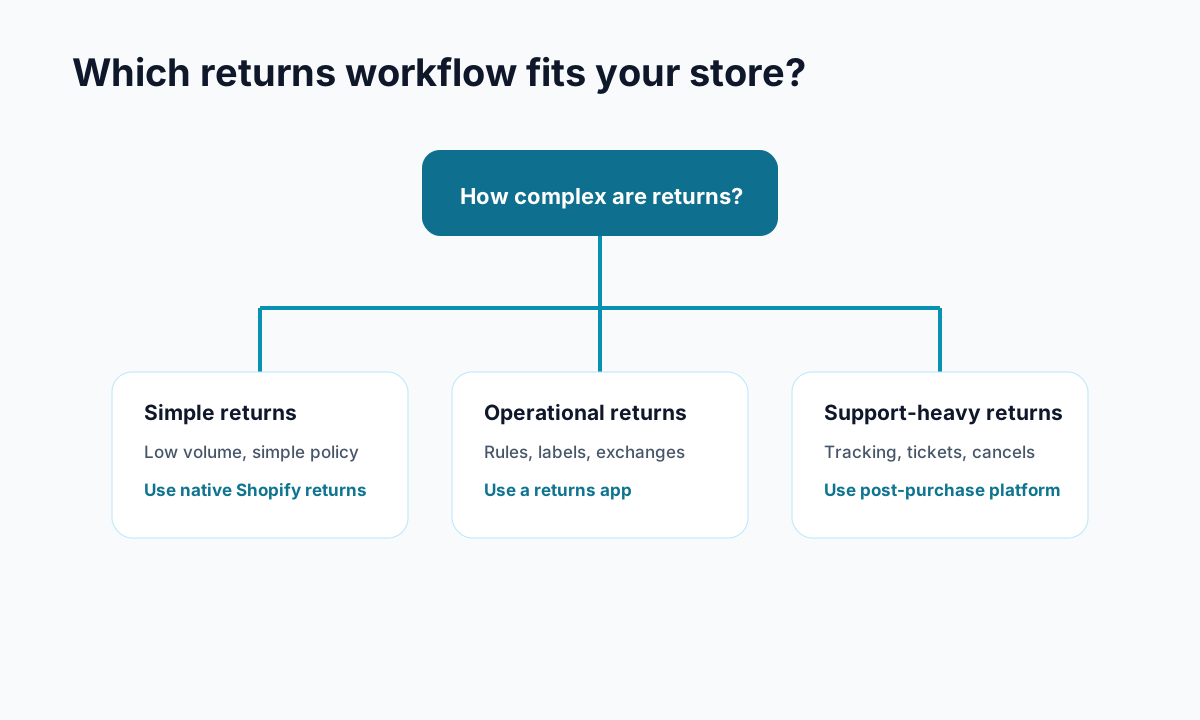
<!-- trexa-visual-elements:start -->Visual guide: return policy decisions
A return policy is easier to use when each rule maps to a clear customer action.
| Policy section | Decision to make | Customer-facing wording |
|---|---|---|
| Return window | How long after delivery? | Make the deadline explicit. |
| Eligibility | Which items are final sale? | List exclusions before checkout and returns. |
| Resolution | Refund, exchange, or store credit? | Explain timing and options. |
Helpful reference:
<!-- trexa-visual-elements:end -->Why Your Shopify Return Policy Matters More Than You Think
<!-- trexa-section-visual:returns -->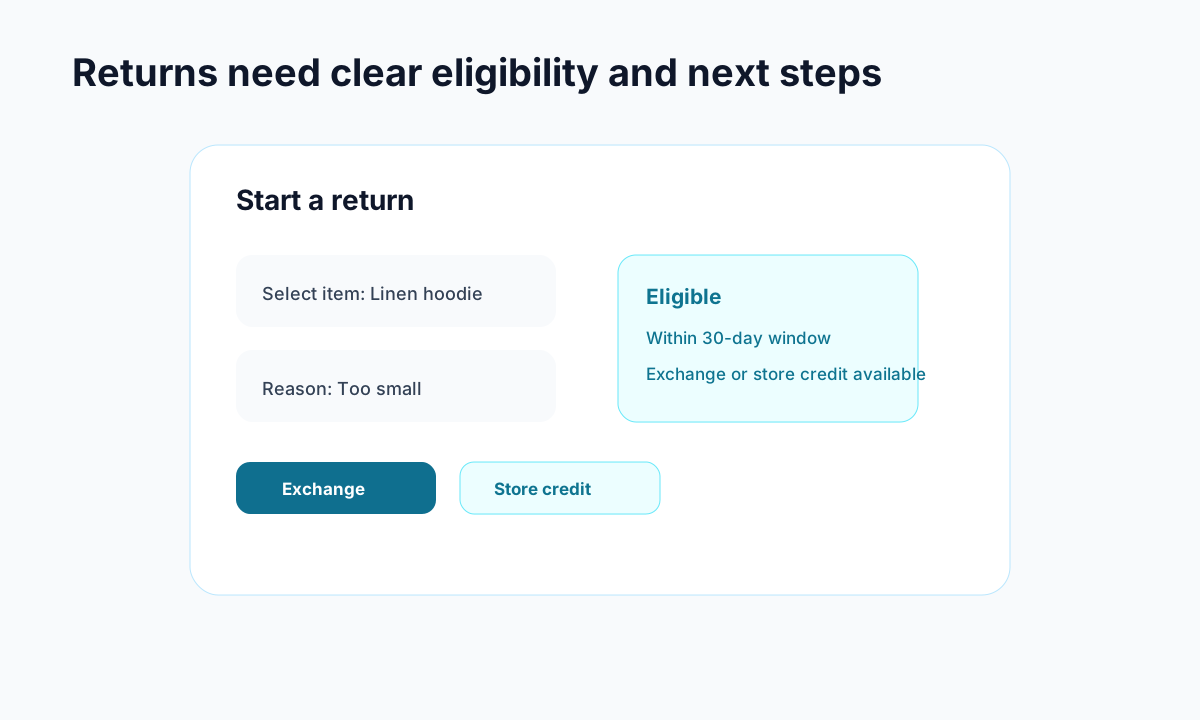
Example: a return flow should show eligibility and resolution options before a customer emails support.
Returns aren't going away. The average ecommerce return rate sits above 20%, which means roughly one in five orders comes back. For clothing stores, it's even higher.
But here's what most merchants get wrong: they treat the return policy like a legal checkbox instead of a sales tool. The data tells a different story.
96% of customers will shop with you again if the return process is easy (Narvar). And stores that implemented return fees saw a 40% decrease in sales and a 33% drop in customer retention. Strict policies don't save money. They cost you customers.
A good return policy does three things at once:
- Increases conversions because shoppers trust you enough to click "buy"
- Reduces support tickets because fewer confused customers email asking what your policy is
- Protects revenue because exchanges and store credit keep money in your ecosystem
If you're spending time dealing with WISMO tickets and customer complaints, a clear return policy is one of the fastest ways to cut down that noise.
The Shopify Return Policy Template (Ready to Use)
Here's a template you can copy directly into your Shopify admin under Settings > Policies > Refund policy. Replace anything in [brackets] with your specific details.
[Your Store Name] Return Policy
We want you to be completely happy with your purchase. If something isn't right, here's how returns work.
Return Window You have [30] days from the delivery date to start a return. After [30] days, we can't accept returns.
What's Eligible To qualify for a return, items must be:
- Unused and in the same condition you received them
- In the original packaging with all tags attached
- Accompanied by proof of purchase (order confirmation email works)
What's Not Eligible The following items cannot be returned:
- [Final sale / clearance items]
- [Gift cards]
- [Perishable goods]
- [Personalized or custom-made items]
- [Intimate apparel / swimwear / beauty products that have been opened]
How to Start a Return
- Visit our returns portal at [your returns page URL]
- Enter your order number and email address
- Select the items you'd like to return and your reason
- Follow the instructions to ship your items back
Refund Options
- Full refund to your original payment method (processed within 5-10 business days after we receive your return)
- Store credit with a [10]% bonus (get [10]% extra value when you choose store credit)
- Exchange for a different size, color, or product (free return shipping on exchanges)
Return Shipping
- Exchanges: Free return shipping
- Refunds: [Customer pays return shipping / We provide a prepaid label / A $X flat-rate fee is deducted from your refund]
Damaged or Defective Items Received something damaged or defective? Contact us at [email] within 48 hours of delivery with photos. We'll send a replacement or full refund right away, no return needed.
That's the foundation. Now let's break down each section so you can customize it properly.
How to Customize Each Section for Your Store
Set the Right Return Window
The 30-day window works for most products, but it's not universal. Here's a quick breakdown:
- Clothing and accessories: 30 days is standard
- Electronics and home goods: 30-60 days (people need time to test)
- Seasonal items: 14 days (tighter windows prevent "renting")
- Holiday purchases: Consider extending through January for anything bought in November/December
Whatever window you pick, tie it to the delivery date, not the purchase date. Customers get frustrated when half their return window gets eaten up by shipping time.
Define Product Exclusions Clearly
Vague exclusions cause the most support headaches. "Some items may not be eligible for return" tells customers nothing and guarantees they'll email you asking for specifics.
List every exclusion. Be specific about categories. If you sell skincare, specify that opened products can't be returned. If you offer personalized items, call that out before checkout so there are no surprises.
Prioritize Exchanges and Store Credit
This is where smart return policies make real money. When someone wants to return a $50 shirt, you have three options:
- Full refund: You lose $50
- Store credit: They spend $50 (or more) later
- Exchange: They get a different shirt, you keep the sale
Offering a store credit bonus (like 10% extra value) gives customers a real reason to choose credit over a cash refund. Exchange-first flows can retain 30-40% of revenue that would otherwise walk out the door.
If you're already using tools to handle order cancellations smartly, the same logic applies to returns. Keep the money in the store whenever possible.
Setting Up Your Return Policy in Shopify
Getting your policy live takes about five minutes:
Step 1: Go to Settings > Policies in your Shopify admin
Step 2: Click on "Refund policy" and paste your customized template
Step 3: Enable self-serve returns under Settings > Customer accounts. This lets customers submit return requests directly from their order history instead of emailing you.
Step 4: Configure return rules under Settings > Policies > Return rules. Set your return window, restocking fees, and which items are eligible.
Step 5: Place your policy link everywhere customers might look:
- Website footer
- Product pages (near the Add to Cart button)
- Order confirmation emails
- FAQ page
A return policy nobody can find is the same as not having one. 67% of shoppers check the return policy on the product page itself, so don't bury it in a footer link and call it done.
Common Return Policy Mistakes That Cost You Sales
Writing it in legal language. "Merchandise must be returned in its original, unaltered condition within the applicable return period as specified herein" means nothing to a regular person. Write like you talk. "Return items within 30 days, unused, with tags attached." Done.
Hiding the policy. If a customer has to click through three pages to find your return policy, they'll assume the worst and leave. Put it on product pages, in your footer, in confirmation emails.
Making returns too difficult. Every extra step in your return process increases the chance a customer gives up, files a chargeback, or leaves a bad review. A simple self-serve portal beats a "please email us to request a return" flow every time.
Ignoring exchanges. Most stores default to refunds only. That's leaving money on the table. Always offer exchanges and store credit as the first options. Make the refund path available but not the default.
Not tracking return data. If 30% of returns for a specific product cite "didn't match the description," that's a product page problem, not a return policy problem. Track your return reasons and fix the root causes.
Using Your Return Policy to Reduce Support Tickets
<!-- trexa-section-visual:support -->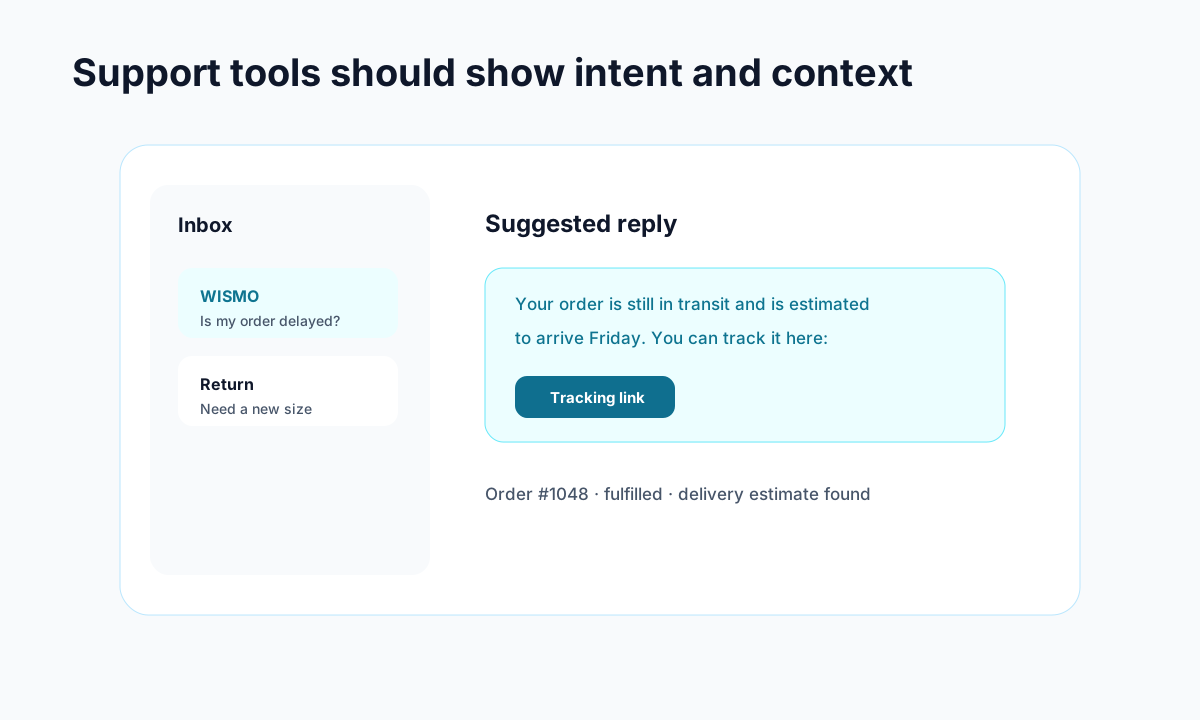
Example: support gets faster when intent, order context, and draft replies live together.
A well-written return policy doesn't just handle returns. It prevents support tickets from being created in the first place.
When customers can find clear answers to "can I return this?" and "how do I start a return?" without emailing your team, your ticket volume drops significantly. Pair a clear policy with a self-serve return portal and a branded tracking page and you've eliminated the three biggest reasons customers contact support.
Tools like Trexa take this further by combining order tracking, self-serve returns, and AI-powered customer support into one experience. When a customer visits their tracking page and has a question about returns, the AI assistant already knows your return policy and can answer instantly. That's one less ticket your team has to handle.
The goal isn't to make returns impossible. It's to make them so smooth that customers don't need help from a human to get through the process.
The Bottom Line
Your return policy is a sales page in disguise. Every unclear sentence costs you conversions. Every hidden policy link sends a shopper somewhere else.
Take the template above, customize it for your products and brand, and put it where people can actually find it. Then track your return reasons, optimize your exchange flows, and watch your support ticket count drop.
The stores that treat returns as a customer experience problem (instead of a cost problem) are the ones that build real loyalty. And loyal customers are worth a lot more than the cost of processing a return.
Ready to reduce your support tickets?
Trexa gives your Shopify store AI-powered order tracking, automated support, and self-serve returns. Start free with 10 orders/month.
Start FreeExplore related Trexa pages