How to Handle Order Cancellations on Shopify Without Losing Customers
Order cancellations are inevitable. How you handle them determines whether that customer ever comes back.
Shopify order cancellation requests are one of those things every store deals with but nobody likes talking about. A customer places an order, then changes their mind. Maybe they found it cheaper elsewhere. Maybe they ordered the wrong size. Maybe they just had buyer's remorse.
Whatever the reason, how you handle that cancellation request determines whether you lose that customer forever or turn an awkward moment into a surprisingly positive experience.
<!-- trexa-visual-elements:start -->Visual guide: cancellation health
A good cancellation process gives customers control while still giving the merchant a chance to solve fixable issues.
| Moment | Customer expectation | Best response |
|---|---|---|
| Before fulfillment | Fast answer. | Instant cancellation or clear save offer. |
| After fulfillment starts | Honest status. | Explain limits and offer return path. |
| High-risk reason | Human help. | Route to support with full order context. |
The Real Cost of a Bad Cancellation Experience
<!-- trexa-section-visual:cancellation -->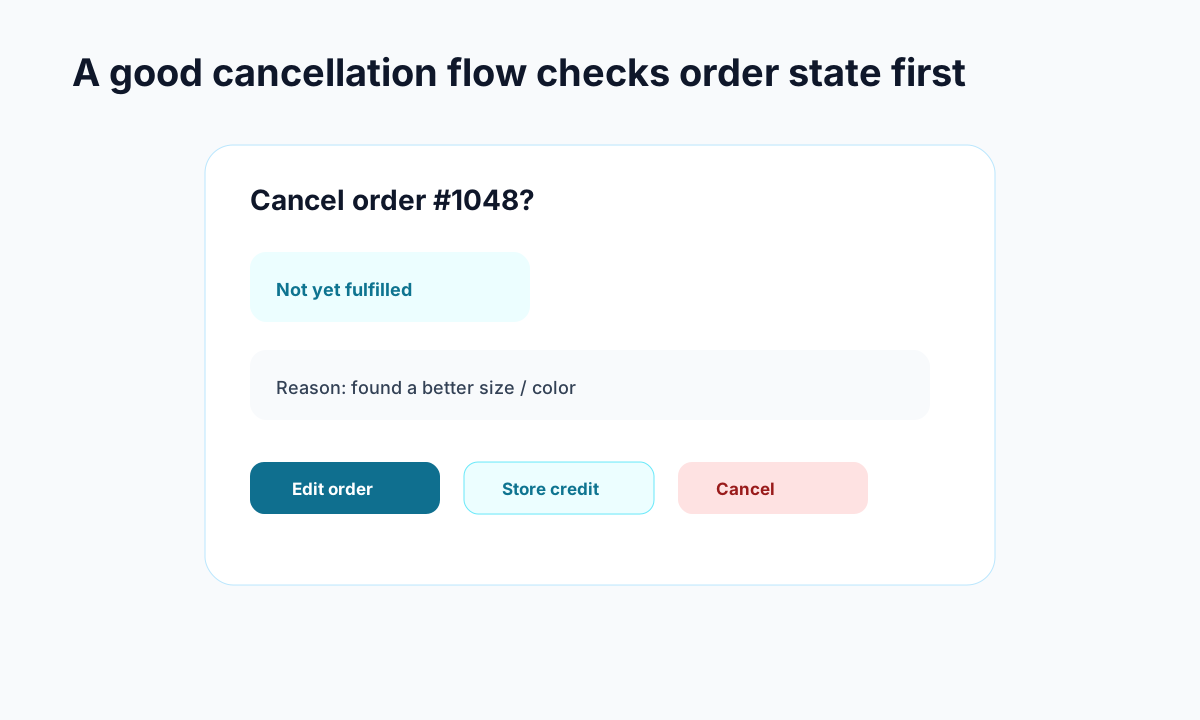
Example: cancellation flows work better when they check fulfillment state before showing options.
Most Shopify stores handle cancellations the same way: the customer emails support, waits hours or days for a response, and eventually gets a refund. It works, but it's expensive in ways you might not realize.
Every cancellation email that hits your inbox costs you time. Your support team has to read the email, pull up the order, check if it's been fulfilled yet, process the cancellation in Shopify Admin, confirm the refund, and reply to the customer. That's 5-10 minutes per request, and it adds up fast.
But the real cost isn't the time — it's the friction. A customer who has to email you and wait for a response is a customer who's already frustrated. Even if you process the cancellation quickly, the experience was harder than it needed to be. And frustrated customers don't come back.
Why Customers Cancel Orders
Understanding the reasons behind cancellations helps you reduce them and handle the rest more gracefully.
Impulse regret is the most common driver. The customer got excited, clicked buy, then thought about it. This is especially common with higher-priced items and first-time buyers who don't fully trust your store yet.
Wrong item or variant happens more than you'd expect. Wrong size, wrong color, wrong quantity. These are often recoverable — the customer doesn't want to cancel, they want to fix the order.
Found a better price is straightforward and harder to counter. But speed matters here — if you respond quickly, you might save the sale with a price match or discount code.
Shipping concerns drive cancellations when delivery estimates are unclear or too long. Customers who can see exactly when their order arrives are less likely to cancel out of uncertainty.
Building a Better Cancellation Flow
The best cancellation experience is one the customer can handle themselves, instantly, without emailing anyone.
Make Self-Service the Default
Instead of forcing customers to email you, give them a self-service cancellation option on your branded tracking page. The customer enters their order number, sees their order details, and can request a cancellation right there.
You control the rules: how long after purchase a cancellation is allowed, whether it's instant or requires approval, and what conditions apply. The system enforces your policy consistently — no judgment calls, no exceptions that create precedent problems.
Set Smart Cancellation Windows
Most order cancellations happen within the first hour. By the time your fulfillment team starts picking and packing, the window for easy cancellations has usually closed.
A 30-60 minute automatic cancellation window catches the majority of legitimate requests without disrupting your operations. After that window, cancellation requests go to your team for review — because at that point, the order might already be in progress.
Intercept Before They Cancel
When a customer initiates a cancellation, that's actually an opportunity. Before processing it, you can offer alternatives.
An AI assistant can ask why they want to cancel and suggest solutions. Wrong size? Offer an exchange. Shipping too slow? Offer expedited shipping. Price concern? Offer a discount code. Not every cancellation needs to become a cancellation.
Handle Post-Fulfillment Cancellations
Once an order is shipped, a cancellation becomes a return. Don't make the customer figure out the difference — handle the transition automatically. If someone tries to cancel a shipped order, show them the tracking status and offer to start a return instead.
This is where having an integrated system that handles both tracking and returns matters. Customers shouldn't need to navigate to a different page or start a new process. Tools like Trexa combine tracking, cancellations, and returns in one flow so the transition is seamless for the customer.
Measuring Cancellation Health
Track these metrics to understand your cancellation landscape:
Cancellation rate should stay under 3-5% of total orders. Higher than that suggests a systemic issue — unclear product descriptions, unreliable shipping estimates, or checkout friction.
Time to resolution measures how long it takes from cancellation request to confirmed refund. Self-service systems resolve in seconds. Email-based systems typically take 12-48 hours.
Recovery rate is the percentage of cancellation attempts that you convert into kept orders through intervention like exchanges, discounts, or upgrades. Even a 10-15% recovery rate has meaningful revenue impact.
Repeat purchase rate after cancellation tells you whether your cancellation experience is burning bridges or building goodwill. If customers who cancel never buy again, your process needs work.
The Bottom Line
Cancellations are going to happen. The question isn't how to eliminate them — it's how to handle them in a way that's effortless for the customer and efficient for your team. Self-service cancellation flows with smart rules, AI-powered intervention, and seamless transitions to returns turn a negative moment into proof that your store is easy to do business with.
The stores that handle cancellations well don't just save time on support — they save customers.
Ready to reduce your support tickets?
Trexa gives your Shopify store AI-powered order tracking, automated support, and self-serve returns. Start free with 10 orders/month.
Start FreeExplore related Trexa pages