Post-Purchase Emails That Actually Reduce Support Tickets
Most post-purchase emails are missed opportunities. Here is how to write emails that answer questions before customers ask them.
Every Shopify store sends post-purchase emails. Order confirmations, shipping notifications, delivery updates — they go out automatically and most merchants never think twice about them.
That's a mistake. These emails are the most-opened messages your store will ever send. Order confirmation emails have open rates above 60%. Shipping notifications hit 80%+ in some cases. Customers are actively looking for these messages.
And yet most stores treat them as an afterthought — default Shopify templates with a tracking number and a link to FedEx. That's not just a branding miss, it's a support ticket generator.
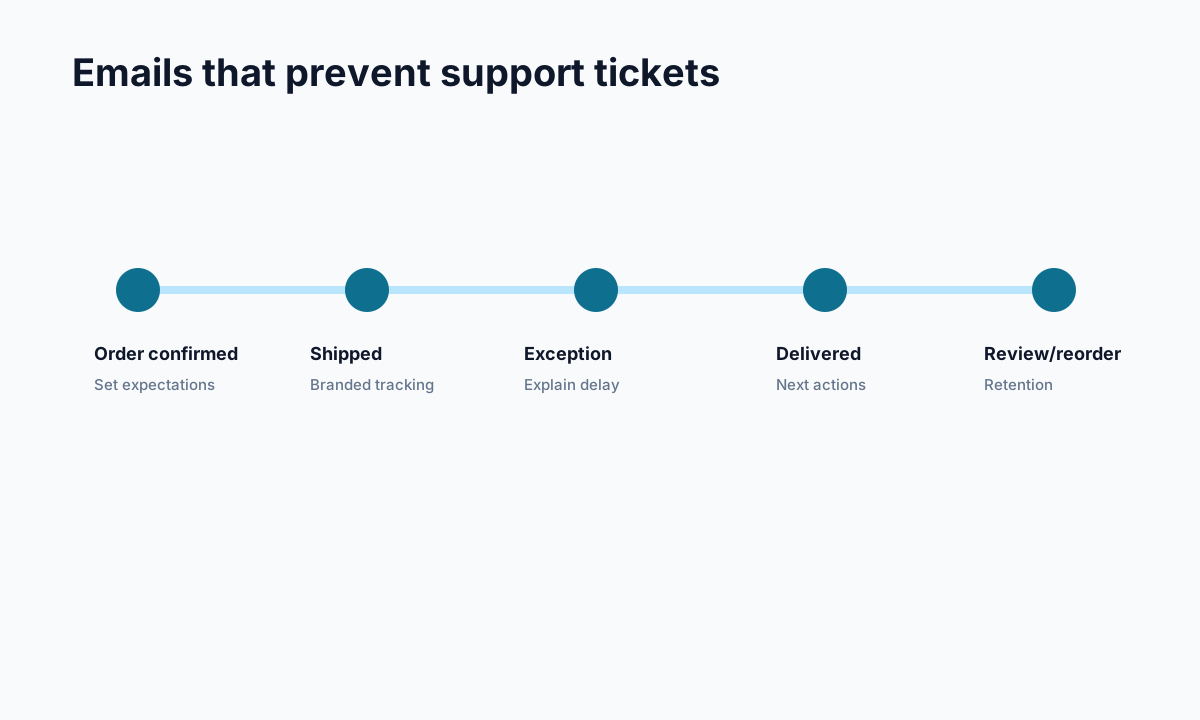
<!-- trexa-visual-elements:start -->Visual guide: emails that reduce tickets
The best post-purchase emails reduce uncertainty instead of just promoting the next purchase.
| Ticket it prevents | Link to include | |
|---|---|---|
| Order confirmation | Did my order go through? | Order status page. |
| Shipping confirmation | Where is my order? | Branded tracking page. |
| Delay update | Why is this late? | Tracking page with explanation and support path. |
Why Default Emails Create Support Tickets
<!-- trexa-section-visual:support -->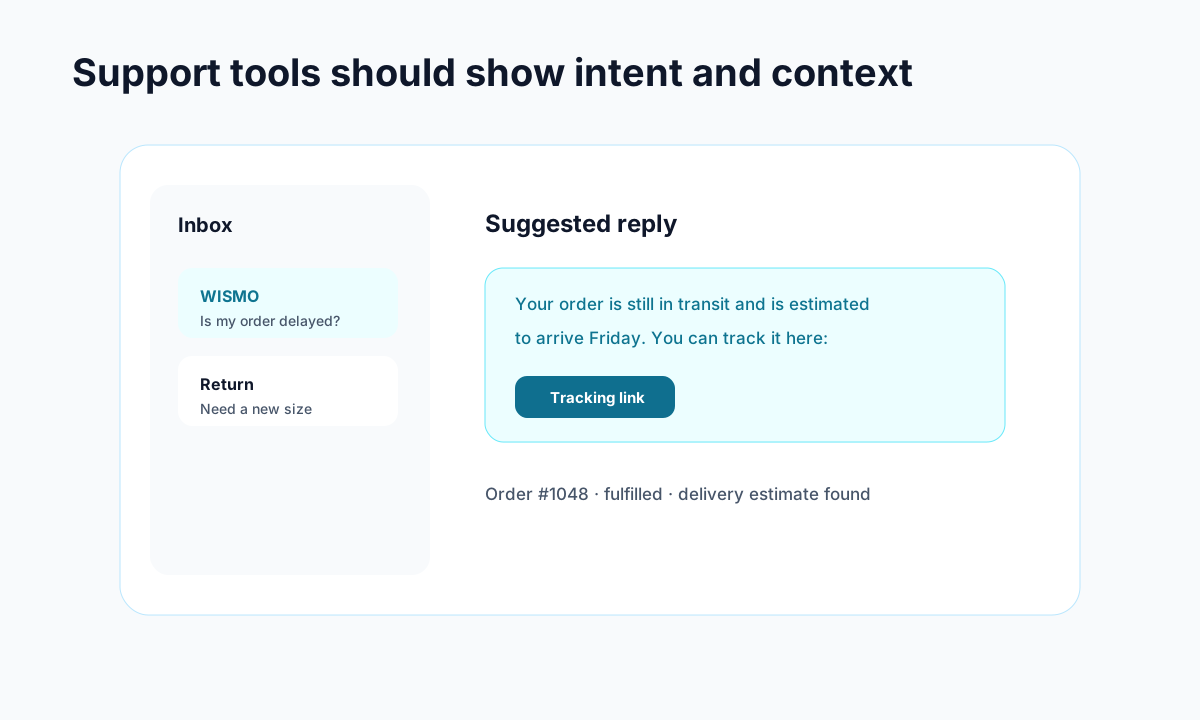
Example: support gets faster when intent, order context, and draft replies live together.
The default Shopify shipping confirmation includes a tracking number and a carrier link. The customer clicks the link, lands on the carrier's website, sees a status like "Label Created" or "In Transit to Next Facility," and has no idea what that means or when their package arrives.
So they email you. "Where is my order?" "What does 'in transit to next facility' mean?" "When will it arrive?"
These are WISMO tickets, and they account for 30-50% of all ecommerce support volume. Most of them could be prevented with better post-purchase emails.
The Five Emails That Matter
1. Order Confirmation (Immediate)
This email confirms the purchase and sets expectations. Most stores include order details and a thank you — that's fine. But the missed opportunity is setting shipping expectations early.
What to include:
- Order summary with line items and total
- Estimated shipping timeline — give an actual estimated delivery date range, not just "ships in 1-2 business days"
- What happens next: "We're preparing your order. You'll get a shipping confirmation with tracking once it ships."
- Link to your branded tracking page where they can check status anytime
The last point is key. Give customers a self-service option from the very first email. A link to your tracking page — even before the order ships — means they'll check there first instead of emailing you.
2. Shipping Confirmation (When Fulfilled)
This is the highest-stakes email in the post-purchase sequence. Get it wrong and you'll generate support tickets for the next week.
What most stores get wrong: linking directly to the carrier tracking page (sends customers off-brand with confusing status updates), only including the tracking number without context, and no estimated delivery date.
What to include:
- Clear statement: "Your order is on its way!"
- Estimated delivery date prominently displayed
- Carrier name (FedEx, UPS, etc.)
- Direct link to your branded tracking page, not the carrier site
- Brief note about what to do if they have questions
The tracking page link is the biggest single change you can make. Instead of sending customers to fedex.com where they'll get confused and email you, send them to your tracking page where they get clear status updates and can ask an AI assistant any questions.
3. Out for Delivery (Day Of)
Many stores skip this email entirely and it's the easiest way to prevent "where is my order" tickets on the day of delivery.
What to include:
- "Your package is out for delivery today!"
- Expected delivery window if available
- Delivery address confirmation so they know where to look
- Link to real-time tracking on your branded page
This email has two effects: it creates excitement and it eliminates the most anxious round of tracking checks. Customers who know their package is out for delivery don't email support.
4. Delivery Confirmation (Post-Delivery)
Confirm that the package was delivered and make the next step easy.
What to include:
- "Your order has been delivered!"
- Delivery details (date, time if available)
- "Something wrong? Let us know" with a direct link to support or your tracking page chat
- Product care or usage tips (adds value, reduces returns)
- Review request — only after confirming a successful delivery
The review request timing matters. Don't ask for a review before the customer has received and opened their order. Post-delivery confirmation is the right moment — they just got the thing, they're either happy or they're not, and their opinion is fresh.
5. Follow-Up Check-In (3-5 Days Post-Delivery)
Most stores stop communicating after delivery. A well-timed check-in shows you care and catches issues before they become negative reviews.
What to include:
- "How's everything with your order?"
- Quick satisfaction check (even a simple thumbs up/down)
- Easy access to start a return if something's not right
- Related product recommendations (cross-sell opportunity)
- Link to your return/exchange process if applicable
This email serves double duty: it identifies unhappy customers before they leave a bad review, and it opens a natural path to repeat purchases for happy customers.
The Technical Setup
On Shopify, you can customize notification emails through Settings then Notifications. The key change for every template is replacing the default carrier tracking link with a link to your branded tracking page.
If you're using a tool like Trexa, the email template section shows you exactly which Shopify notification templates to update and gives you the tracking page URL to paste in. The swap takes about 2 minutes per template.
For more advanced flows like the follow-up check-in, you'll want a tool like Klaviyo or Shopify Email that supports automated sequences triggered by order events.
Measuring the Impact
Track these metrics before and after improving your post-purchase emails:
WISMO ticket volume — How many "where is my order" tickets are you getting per week? This should drop significantly after updating shipping notifications with branded tracking links.
Email open rates — Your shipping confirmation should be above 70%. If it's lower, test subject lines and sender names.
Tracking page visits — Are customers actually clicking through to your tracking page? This tells you whether the email is working.
Support ticket volume by category — Break down tickets by type. Post-purchase email improvements should reduce shipping-related tickets while other categories stay constant.
Start With One Change
If you're going to do one thing from this article, update your shipping confirmation email. Replace the carrier tracking link with a link to your branded tracking page. That single change will redirect the majority of tracking-curious customers away from confusing carrier sites and toward a page where they can get clear answers.
Everything else — the proactive notifications, the follow-up sequence, the delivery confirmation — builds on that foundation. But the shipping confirmation email is where the biggest impact happens with the least effort.
Ready to reduce your support tickets?
Trexa gives your Shopify store AI-powered order tracking, automated support, and self-serve returns. Start free with 10 orders/month.
Start FreeExplore related Trexa pages