How to Set Up Order Tracking on Shopify (Complete 2026 Guide)
A step-by-step guide to setting up order tracking on your Shopify store that actually reduces support tickets and keeps customers informed.
How to Set Up Order Tracking on Shopify (Complete 2026 Guide)
Every Shopify store ships orders. But not every store gives customers a clear answer when they ask the inevitable question: "Where is my order?"
That question — known in the industry as WISMO (Where Is My Order) — makes up 30–40% of all ecommerce support tickets. During peak seasons like Black Friday, it can climb past 50%.
The frustrating part? The answer already exists in your system. Customers just can't find it easily enough.
This guide walks you through setting up order tracking on Shopify — from the basics to a system that actually deflects support tickets instead of creating them.
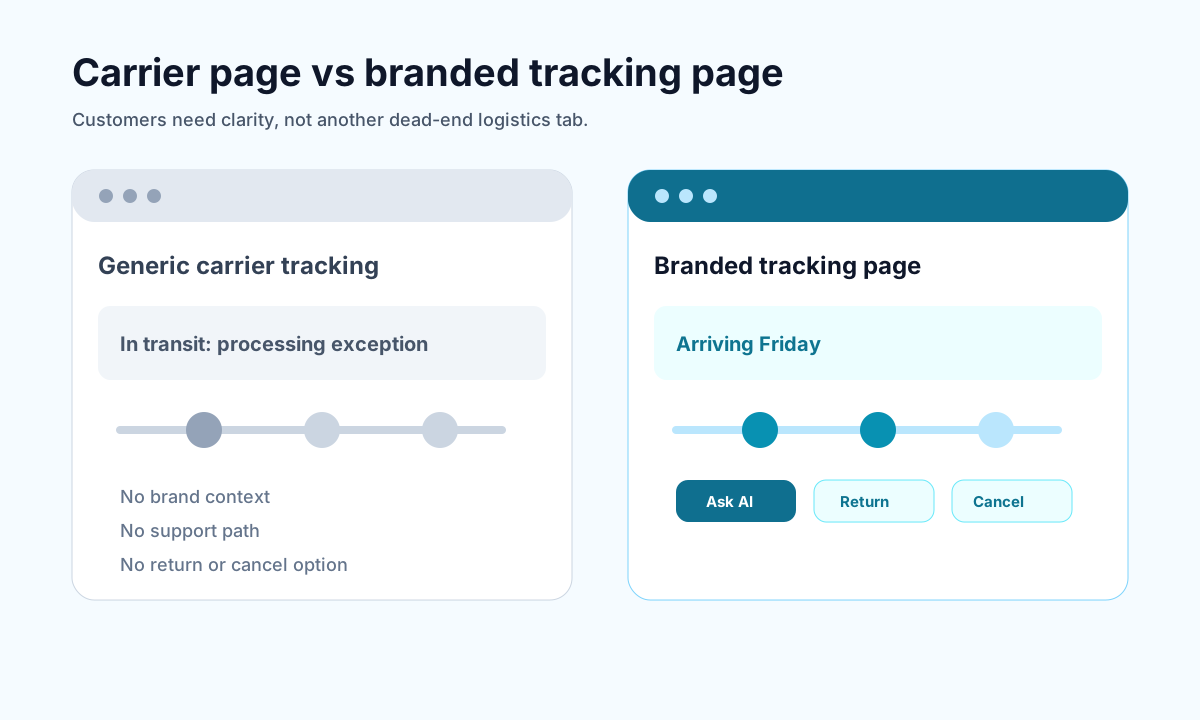
<!-- trexa-visual-elements:start -->Visual guide: order tracking setup
A complete order tracking setup needs both accurate shipment data and a customer-friendly place to use it.
| Setup area | Minimum | Better |
|---|---|---|
| Tracking destination | Order status page. | Branded tracking page. |
| Notifications | Shipping confirmation. | Triggered updates for delays and delivery. |
| Support | Contact link. | AI assistant and self-serve actions. |
What Shopify Gives You Out of the Box
Shopify includes basic order tracking by default. When you fulfill an order and add a tracking number, customers get:
- A shipping confirmation email with the tracking number
- An order status page accessible from their confirmation email
- A link to the carrier's website (FedEx, UPS, USPS, etc.)
This works. But it has real limitations:
- Carrier pages are confusing. Status codes like "In Transit to Next Facility" don't mean anything to most customers.
- Customers leave your brand. Once they click through to FedEx or UPS, you've lost control of the experience.
- No proactive updates. If there's a delay, customers only find out when they check — and then they email you.
- No self-serve support. If they have a question about returns or cancellations, there's nowhere to go but your inbox.
For stores doing fewer than 50 orders a month, the defaults might be fine. But once you're processing hundreds of orders, those gaps become expensive.
Step 1: Add a Branded Tracking Page
<!-- trexa-section-visual:tracking -->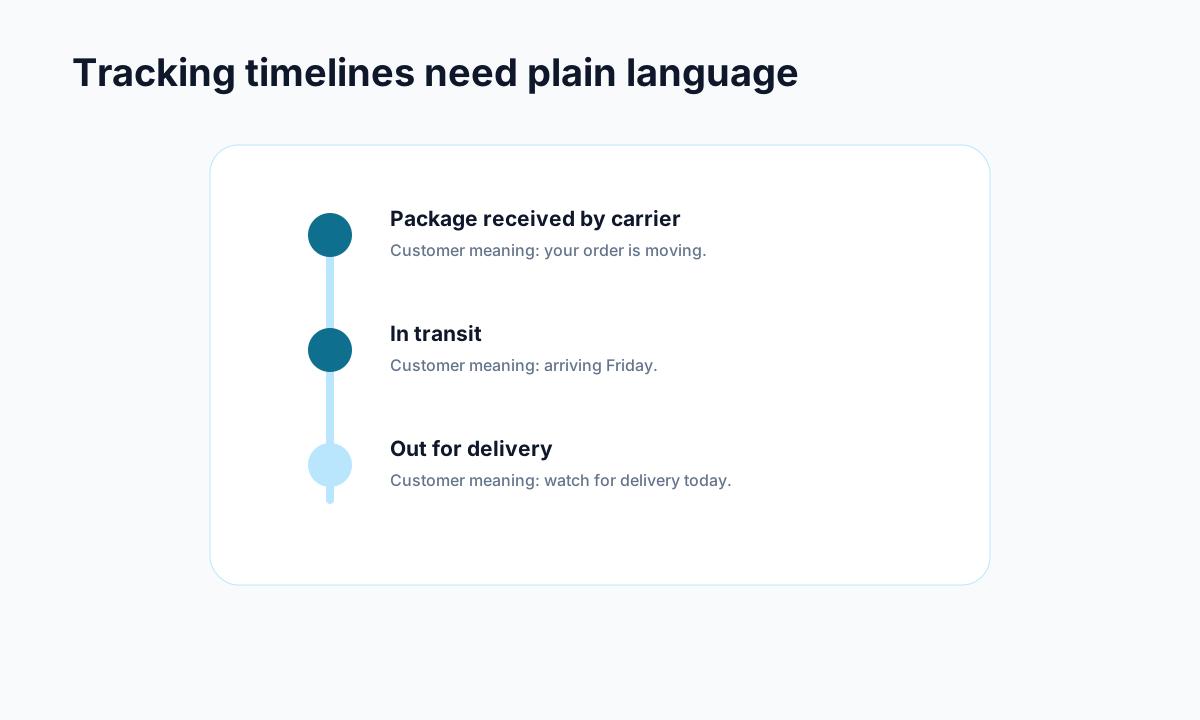
Example: carrier events become useful when they are translated into plain customer language.
The single biggest upgrade you can make is replacing the default carrier tracking experience with a branded tracking page on your own domain.
Instead of sending customers to fedex.com, you send them to something like yourstore.com/tracking or track.yourstore.com.
What a good branded tracking page includes:
- Real-time shipment status in plain English (not carrier jargon)
- Estimated delivery date prominently displayed
- Your brand's look and feel — logo, colors, messaging
- Links to common post-purchase actions (returns, cancellations, support)
- Optionally, product recommendations or loyalty program info
Why it matters: Customers who track on a branded page stay in your world. They see your branding, they find answers to their questions, and they don't need to email support for basic information.
Several Shopify apps offer branded tracking pages, including AfterShip, Malomo, Parcel Panel, and Trexa. The key differentiator is how much of the post-purchase experience the app handles beyond just tracking.
Step 2: Set Up Proactive Notifications
Don't wait for customers to come looking for updates. Push updates to them.
The essential notification sequence:
- Order confirmed — Immediately after purchase. Include expected timeline.
- Shipped — With tracking link to your branded page (not the carrier).
- Out for delivery — Same-day alert so they know to expect it.
- Delivered — Confirmation plus return/support info.
- Delay alert — If something goes wrong, tell them before they ask.
That fifth email is the one most stores skip — and it's the one that prevents the most tickets. When a shipment is delayed and you say nothing, customers fill the silence with support emails.
Pro tip: Send tracking notifications via both email and SMS if possible. SMS open rates are 98% versus 20% for email.
Step 3: Translate Carrier Status Into Human Language
Carrier tracking data is written for logistics professionals, not customers. Here's what your customers see versus what they actually want to know:
| Carrier Says | Customer Thinks | What You Should Show |
|---|---|---|
| "In Transit to Next Facility" | "Where is it though?" | "Your package is on its way — expected delivery: Thursday" |
| "Tendered to Delivery Service Provider" | "What does that even mean?" | "Your package has been handed to your local delivery driver" |
| "Exception: Address Issue" | panic | "We noticed a possible address issue — we're looking into it and will update you shortly" |
The best tracking apps do this translation automatically. If yours doesn't, you're essentially forwarding confusion to your customers and generating tickets.
Step 4: Add Self-Serve Support to Your Tracking Page
<!-- trexa-section-visual:support -->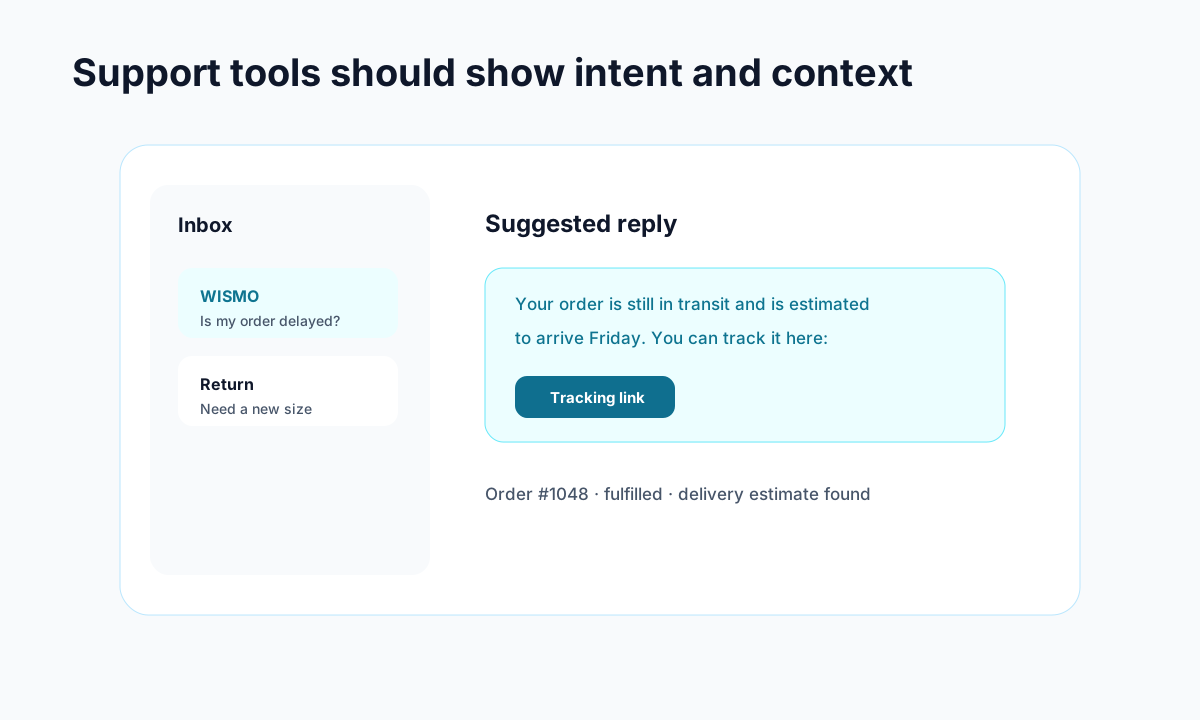
Example: support gets faster when intent, order context, and draft replies live together.
Here's the insight most stores miss: customers visit their tracking page when they have a question. Not just about tracking — about everything post-purchase.
If your tracking page only shows shipment status, you're missing the chance to answer:
- "Can I still cancel this order?"
- "How do I return this?"
- "When will I get my refund?"
- "Can I change my shipping address?"
Adding self-serve options for returns, cancellations, and common questions directly on the tracking page can deflect 40–60% of post-purchase support tickets.
Some apps, like Trexa, include an AI assistant directly on the tracking page that can answer these questions in real time using your store's policies and order data.
Step 5: Monitor and Measure
Once your tracking system is set up, track these metrics:
- WISMO ticket volume — Should decrease within the first month
- Tracking page visits — Shows customer adoption
- Support ticket deflection rate — Percentage of visits that don't result in a ticket
- Average resolution time — AI and self-serve should bring this down
- Customer satisfaction (CSAT) — Better tracking = happier customers
If your WISMO tickets aren't dropping after 30 days, something in the chain is broken — usually either the notifications aren't reaching customers or the tracking page isn't answering their actual questions.
Common Mistakes to Avoid
1. Only adding a tracking number to the shipping email. That's the minimum, not the solution. Customers need a destination that answers questions, not just a number to Google.
2. Sending customers to carrier websites. You lose control of the experience, the branding, and the opportunity to deflect support questions.
3. Skipping delay notifications. Silence during shipping delays is the #1 generator of angry WISMO tickets.
4. Treating tracking as a logistics feature instead of a support tool. The best tracking setups are designed to reduce support load, not just display shipment status.
5. Not including self-serve actions. If a customer visits your tracking page and can't find return or cancellation options, they'll email you instead.
The Bottom Line
Order tracking on Shopify doesn't have to be complicated. But it does need to be intentional.
The stores that get this right typically see:
- 40–60% reduction in WISMO tickets
- Higher customer satisfaction scores
- Lower support costs per order
- Better repeat purchase rates
Start with a branded tracking page, add proactive notifications, translate carrier jargon into plain English, and give customers self-serve options. That's the formula.
If you want to see what this looks like in practice, Trexa combines branded tracking, AI support, and self-serve returns in one Shopify app. You can try it free.
Ready to reduce your support tickets?
Trexa gives your Shopify store AI-powered order tracking, automated support, and self-serve returns. Start free with 10 orders/month.
Start FreeExplore related Trexa pages