Branded Tracking Page vs Carrier Tracking Page: What Shopify Stores Should Use?
Compare branded tracking pages vs carrier tracking pages for Shopify stores and see which approach reduces support tickets and improves customer experience.
Branded Tracking Page vs Carrier Tracking Page: What Shopify Stores Should Use?
When a customer clicks “track my order,” you have two very different paths available:
- send them to a carrier tracking page
- send them to a branded tracking page tied to your own post-purchase workflow
Both can technically show package movement. Only one is actually built to improve the customer experience and reduce support load.
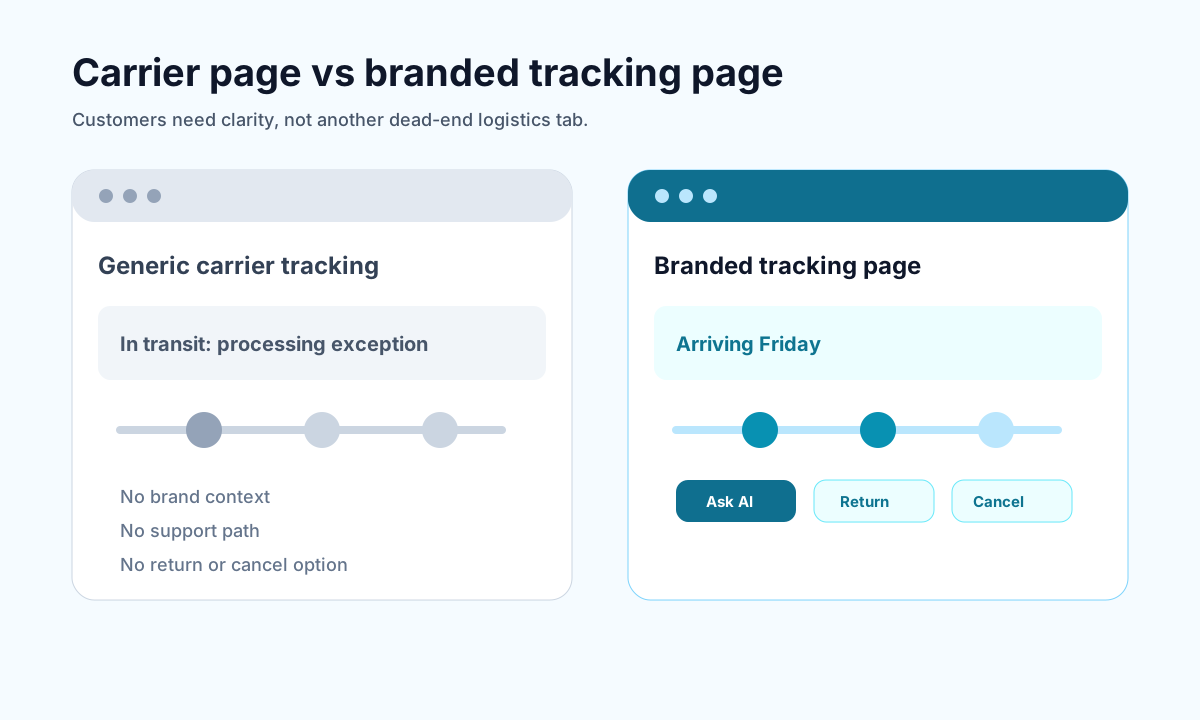
<!-- trexa-visual-elements:start -->Visual guide: branded page vs carrier page
The core difference is control: carrier pages explain logistics, while branded tracking pages can guide the customer to the next useful action.
| Experience | Customer sees | Merchant controls |
|---|---|---|
| Carrier tracking page | Carrier language, ads, and generic status. | Very little. |
| Branded tracking page | Store-branded status, context, and help options. | Messaging, support actions, retention links. |
| Trexa-style post-purchase page | Tracking plus AI support, returns, and cancellations. | The full support-reduction path. |
What is a carrier tracking page?
<!-- trexa-section-visual:tracking -->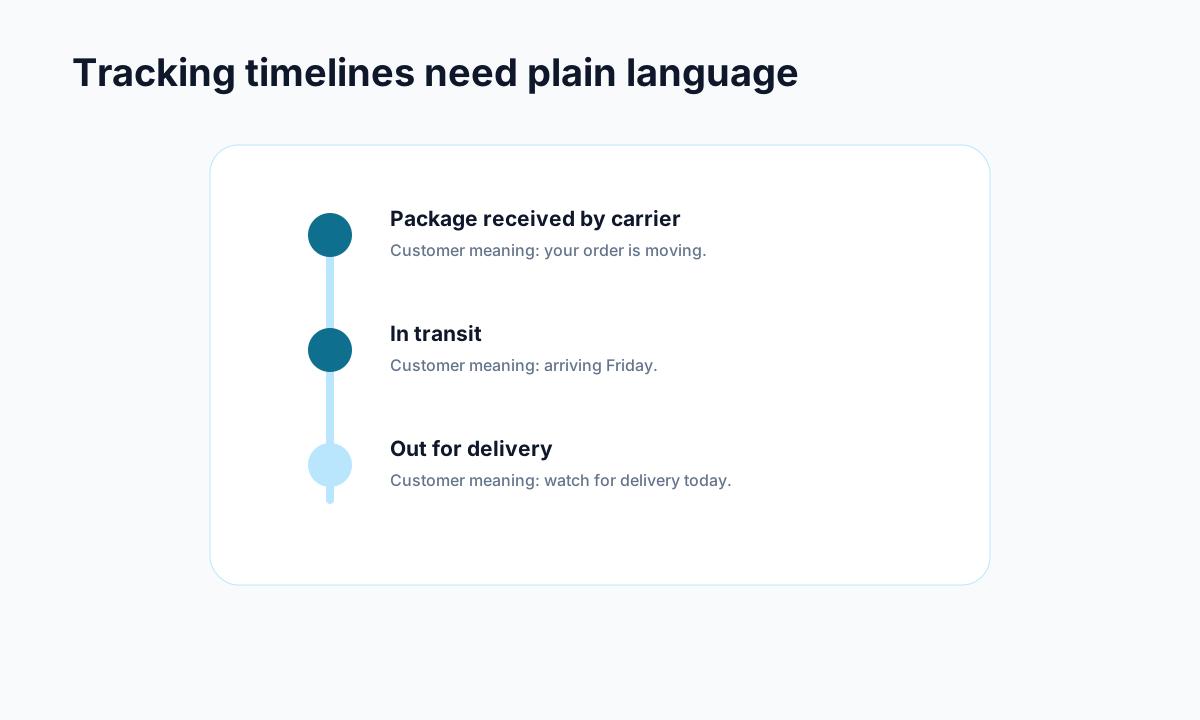
Example: carrier events become useful when they are translated into plain customer language.
A carrier tracking page is the default shipment status page provided by a carrier like FedEx, UPS, USPS, or DHL.
It is useful for operational shipping visibility, but it is not designed around customer clarity, brand trust, or support deflection.
What is a branded tracking page?
A branded tracking page presents tracking information inside an experience connected to your store. It usually includes:
- your brand identity
- cleaner delivery explanations
- customer-friendly status updates
- support or AI assistance
- returns or cancellation next steps
If you want the broader category context, see why branded order tracking pages matter.
The biggest differences
| Area | Branded tracking page | Carrier tracking page |
|---|---|---|
| Brand experience | Keeps customers in your world | Sends customers away to a generic carrier site |
| Clarity | Designed for customer understanding | Often shows logistics jargon |
| Support deflection | Can reduce repetitive tickets | Often generates more questions |
| Self-serve actions | Can connect to returns and cancellations | Usually no customer workflow beyond tracking |
| AI assistance | Can support post-purchase questions | Typically absent |
| Analytics | You can learn from customer behavior | Little or no customer-facing insight |
Why carrier pages create support friction
<!-- trexa-section-visual:support -->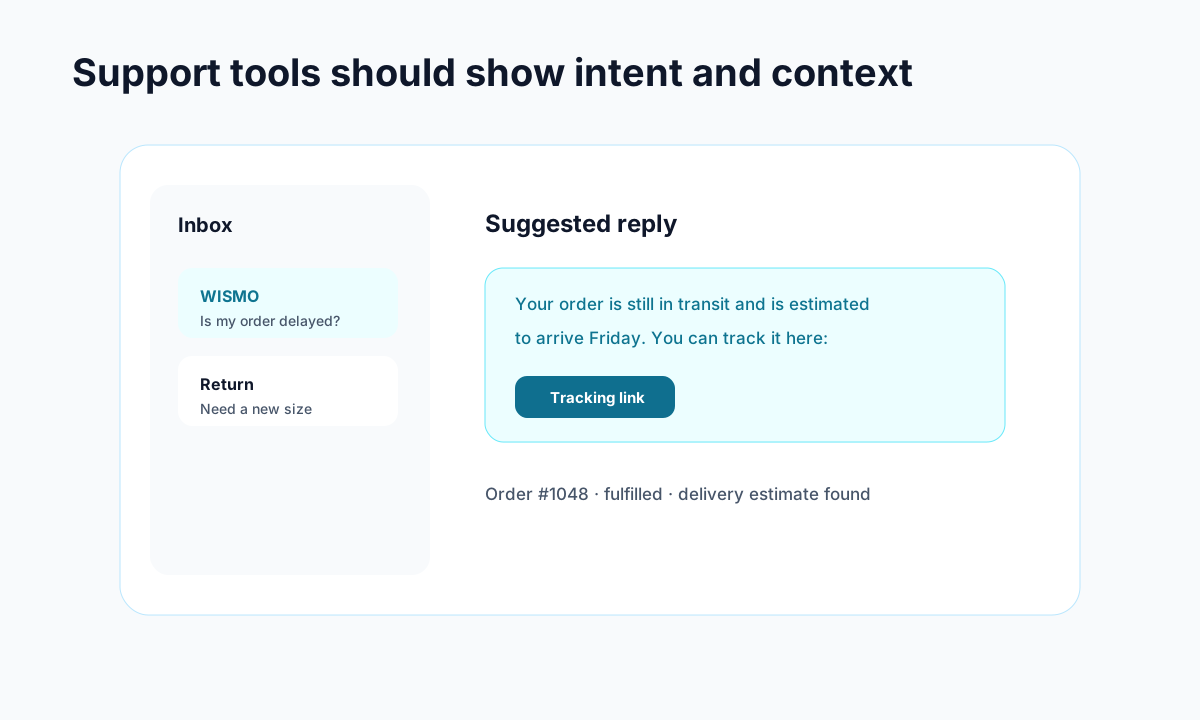
Example: support gets faster when intent, order context, and draft replies live together.
Carrier pages are not evil. They are just solving a different problem.
They are built for shipment status, not for customer reassurance. That gap creates predictable issues:
- customers cannot translate carrier jargon into expected delivery
- customers worry when they see vague status changes
- customers have no direct next action besides contacting support
- customers leave your brand environment during a high-attention moment
That is one reason so many Shopify brands end up drowning in WISMO volume.
Why branded pages perform better for Shopify stores
A branded tracking page gives your store several advantages at once.
Fewer repetitive support tickets
When customers can understand what is happening, they stop asking support to interpret tracking updates.
Better post-purchase trust
Customers stay inside an experience that looks and feels like your brand.
Better self-service outcomes
If a customer wants to return, cancel, or ask a policy question, the next step is right there instead of hidden somewhere else.
Better tool leverage
A branded page can become the center of your Shopify order tracking app strategy rather than just a passive status page.
When a carrier page is still acceptable
A carrier page is acceptable if:
- you do not care about post-purchase branding
- you are not trying to reduce support volume
- you just need basic shipment visibility
That is a valid choice. It is just a limited one.
When a branded tracking page is the better move
A branded tracking page is usually the better call if:
- you want fewer WISMO tickets
- you want a better Shopify post-purchase experience
- you want AI support or self-service in the same workflow
- you want tracking to create operational value instead of just displaying data
Which tools support a branded tracking approach?
If you want a branded tracking strategy, the useful pages to review are:
- Shopify order tracking app
- Branded order tracking
- Trexa vs AfterShip
- Trexa vs Wonderment
- Best Shopify order tracking apps
Final answer
<!-- trexa-section-visual:chatbot -->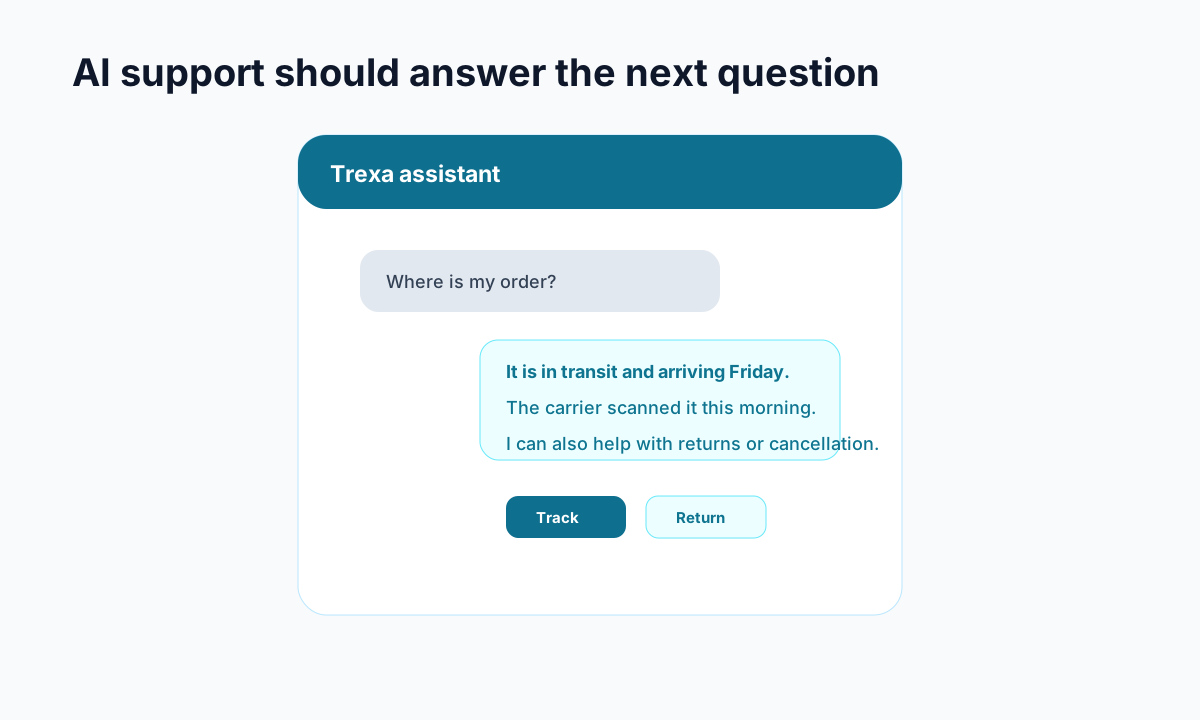
Example: a useful AI assistant answers the order question and offers the next action.
If you are serious about reducing support tickets and improving customer experience, Shopify stores should usually use a branded tracking page over a raw carrier tracking page.
Carrier pages are fine for logistics status. Branded tracking pages are better for business outcomes.
That is the real distinction.
If you want to test a Shopify-first branded tracking workflow with AI support and self-serve post-purchase actions, Trexa is built for exactly that use case.
Ready to reduce your support tickets?
Trexa gives your Shopify store AI-powered order tracking, automated support, and self-serve returns. Start free with 10 orders/month.
Start FreeExplore related Trexa pages